Please REGISTER or RENEW your account on RAPiDGATOR.net and support us by doing through all RAPiDGATOR working download links on main posts...
Calibre is a complete e-book library manager. Organize your collection, convert your books to multiple formats, and sync with all of your devices. Let Calibre be your multi-tasking digital librarian.
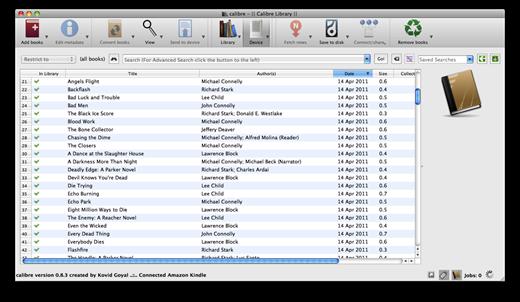
Manage, convert, sync, and more
- Library management. Calibre keeps things orderly by creating single entries for books that contains multiple formats. Add tags and comments for better searchability.
- Format conversion. Calibre’s robust conversion options support
What’s New Version 6.14.0:
New features:
- Edit metadata: When setting a cover from comic files allow choosing which page to use as the cover
- Allow display of columns built from other columns as comments in Book details
- Comments editor: Add a shortcut for "Paste and match style" (Ctrl+Shift+v)
Bug fixes:
- macOS: ToC Editor: Fix mouse becoming unusable when trying to create a new entry
- When computing title sorts strip leading and trailing quotes, not just leading quotes
- Content server viewer: Fix searching only showing results from the current chapter onwards
- Check book: Fix some incorrect line numbers reported in a few CSS error messages
Improved news sources:
- Strange Horizons
- The Saturday Paper
- New Scientist
- The Mainichi
- DR Nyheder
- New York Magazine
- Bloomberg
- Deccan Herald
Compatibility macOS 10.14 or later
Release Name: Calibre 6.14.0
Size: 285 MB
Links: HOMEPAGE – NFO – Torrent Search
Download: UPLOADGiG – NiTROFLARE – RAPiDGATOR
Calibre is a complete e-book library manager. Organize your collection, convert your books to multiple formats, and sync with all of your devices. Let Calibre be your multi-tasking digital librarian.
Manage, convert, sync, and more
- Library management. Calibre keeps things orderly by creating single entries for books that contains multiple formats. Add tags and comments for better searchability.
- Format conversion. Calibre’s robust conversion options support
What’s New Version 6.13.0:
New features
- E-book viewer: Read aloud: On Windows switch to using the new Microsoft speech subsystem with access to more voices. Note that this means that old voice, speed and audio devices setting will not be used so a reconfiguration might be needed.
- calibre:// URL scheme: allow specifying a Virtual library for show_book URLs
- Add by ISBN: Allow adding using identifiers other than ISBN as well
- Update bundled Qt to 6.4 this means calibre on macOS is now only supported on Big Sur and newer
- Spell check dialog: Allow up and down arrow keys to work regardless of focus
- Allow multiple Template tester dialogs
Compatibility macOS 10.14 or later
Release Name: Calibre 6.13.0
Size: 286.2 MB
Links: HOMEPAGE – NFO – Torrent Search
Download: UPLOADGiG – NiTROFLARE – RAPiDGATOR
Calibre is a complete e-book library manager. Organize your collection, convert your books to multiple formats, and sync with all of your devices. Let Calibre be your multi-tasking digital librarian.
Manage, convert, sync, and more
- Library management. Calibre keeps things orderly by creating single entries for books that contains multiple formats. Add tags and comments for better searchability.
- Format conversion. Calibre’s robust conversion options support
What’s New Version 6.12.0:
New features
- E-book viewer: Read aloud: On Windows switch to using the new Microsoft speech subsystem with access to more voices. Note that this means that old voice, speed and audio devices setting will not be used so a reconfiguration might be needed.
- calibre:// URL scheme: allow specifying a Virtual library for show_book URLs
- Add by ISBN: Allow adding using identifiers other than ISBN as well
- Update bundled Qt to 6.4 this means calibre on macOS is now only supported on Big Sur and newer
- Spell check dialog: Allow up and down arrow keys to work regardless of focus
- Allow multiple Template tester dialogs
Compatibility macOS 10.14 or later
Release Name: Calibre 6.12.0
Size: 284.9 MB
Links: HOMEPAGE – NFO – Torrent Search
Download: UPLOADGiG – NiTROFLARE – RAPiDGATOR
Calibre is a complete e-book library manager. Organize your collection, convert your books to multiple formats, and sync with all of your devices. Let Calibre be your multi-tasking digital librarian.
Manage, convert, sync, and more
- Library management. Calibre keeps things orderly by creating single entries for books that contains multiple formats. Add tags and comments for better searchability.
- Format conversion. Calibre’s robust conversion options support
What’s New Version 6.8.0:
New features:
- Allow customizing the buttons available to the right of the search bar in the main calibre window via Preferences->Toolbars & menus->The buttons on the searchbar
- Book details panel: Allow adjusting the space used by the cover with a splitter
- Make splitter handles more visible in the calibre UI style
- When sending by email to kindle dont include the author in the filename as amazon is currently reading the author from the file metadata but not the title
Bug fixes:
- Book list: Fix incorrect rendering of yes/no icons when they are configured to have only two values
- Nook driver: Send books to the NOOK folder for the 2021 Nook model as well
- Improve performance in very large libraries of various UI operations such as right clicking, marking books, etc.
- Fix edit metadata dialog not remembering its position and improve how calibre restores window position and size on multi-monitor systems
- Conversion: Fix CSS styles applied to SVG elements being discarded
- EPUB Input: Fix empty adobe page number template file causing conversion to fail
- E-book viewer: Fix rendering of comments in metadata display when using a dark color scheme
- AZW3 Input: Fix svg images that use a prefix for the SVG namespace not being recognized
- Edit book: Fix double clicking in the see what changed dialog not opening the file in the editor since calibre 6.0
- Edit book: Fix modified indicator on images not working correctly when replacing the image
- Amazon metadata download: Adapt the plugin for website changes
New news sources:
- Fifty Two by unkn0wn
- Bloomberg and Bloomberg Business Week by unkn0wn
Improved news sources:
- Army and Navy Times
- eenadu_ap
- Handelsblatt
Compatibility macOS 10.14 or later
Release Name: Calibre 6.8.0
Size: 278.8 MB
Links: HOMEPAGE – NFO – Torrent Search
Download: UPLOADGiG – NiTROFLARE – RAPiDGATOR
Calibre is a complete e-book library manager. Organize your collection, convert your books to multiple formats, and sync with all of your devices. Let Calibre be your multi-tasking digital librarian.
Manage, convert, sync, and more
- Library management. Calibre keeps things orderly by creating single entries for books that contains multiple formats. Add tags and comments for better searchability.
- Format conversion. Calibre’s robust conversion options support
What’s New Version 6.5.0:
New features:
- Kobo driver: support the new Kobo Clara 2e
- When running calibre with the --with-library command line flag and calibre is already running, switch to the specified library in calibre
- E-book viewer: Ask for confirmation when deleting a custom highlight style
- Do not show the virtual libraries tab bar when no virtual libraries are present
- Tag mapper: When specifying the replacement tag allow completion from the tags in the currently open library
- Template language: New functions strcasecmp() and to_hex()
Bug fixes:
- Comments editor: Workaround for Qt inserting invalid font-weight when converting a paragraph to a heading
- E-book viewer: When displaying highlights dont group highlights from different chapters when the chapter titles are identical
- Tag browser: Fix error if a User category contains a reference to a deleted custom column
- When sending books by email to the Kindle and PocketBook email delivery services use random subject and filenames consisting of simple
- English letters to try to workaround various bugs in their email processing code
Improved news sources:
- The Wall Street Journal
- Open Magazine
- The Baffler
- Dark Reading
- New York Times
- NYTimes Cooking
- NYTimes Sports Beat
- Outlook Magazine
- Foreign Affairs
Compatibility macOS 10.14 or later
Release Name: Calibre 6.5.0
Size: 277.6 MB
Links: HOMEPAGE – NFO – Torrent Search
Download: UPLOADGiG – NiTROFLARE – RAPiDGATOR
Calibre is a complete e-book library manager. Organize your collection, convert your books to multiple formats, and sync with all of your devices. Let Calibre be your multi-tasking digital librarian.
Manage, convert, sync, and more
- Library management. Calibre keeps things orderly by creating single entries for books that contains multiple formats. Add tags and comments for better searchability.
- Format conversion. Calibre’s robust conversion options support
What’s New Version 6.3.0:
New features:
- Full text search: Ignore soft hyphens when extracting searchable text from books. Note that you will have to re-index your library to take advantage of this.
- Content server: Have the Read button open PDF files in the browsers builtin PDF viewer rather than the calibre viewer since the calibre viewer is not well suited to PDF
- Kobo driver: Add support for new firmware
- Create icon theme dialog: Add a checkbox to install the newly created theme into calibre
- Allow re-indexing a book for FTS by right clicking the Book details panel
Bug fixes:
- Content server: Workaround for Chrome bug causing multiple sign in prompts when connecting to the server after restarting Chrome
- Fix a regression in 6.0 that broke rendering of first page of EPUB as cover when the EPUB has no actual cover
- Content server: Fix a regression in 6.0 that caused incorrect rendering of comments metadata in the book details panel in dark mode
- FB2 Input: Fix a regression in 6.0 that broke conversion of FB2 on macOS
- Metadata download from Google: Switch to making the queries via a Google web search as this finds some books that searching via the API does not
- Book details panel: Fix clicking on items from an enumerated column containing ampersands not searching correctly
- Image editor: Do not allow initial mouse drag to create selection rect outside the image bounds
- E-book viewer: Fix clicking on ToC entries moving keyboard focus to the ToC search box when the ToC window is floating
- Fix a regression in 6.0 that caused the default cover to be rendered small in some contexts
- Various bug fixes related to the new dark/light icon theme switching. Make the icons more consistent even when using the system theme. Use calibre specific file type icons when using the non native file dialogs. Allow creating dark/light override icons manually in the configuration folder.
- Disable the color theme setting when using system style
- When using a fixed color palette and the system colors are of different type enforce the color palette
- Ignore Qt generated application palette changes when using a fixed palette
- In the icon theme chooser dialog show light and dark themes only in the light and dark tabs
- Welcome wizard: Fix device names not being translated correctly leading to the same name being repeated for some devices
- Read aloud: Fix spurious error message on Linux about voices not being installed
- Linux binaries: Bundle brotli and graphite2 as well as Qt links against them
- FTS dialog: When keyboard navigation changes the current item ensure it stays visible
- Binary builds: Fix Qt TLS backends not included
- Fix Qt WebEngine creating cache folders outside of the calibre cache directory
- Version 6.2.1 fixes a regression in 6.2.0 that caused the Read button in the Content server to only work for PDF books
New news sources:
- The Athletic by unkn0wn
- Various Russian and Ukranian news sources by bugmen00t
Improved news sources:
- Frontline
- HBR
- The Australian
- India Today
- Indian Express
- India Today
- Live Mint
- The Atlantic
Compatibility OS X 10.9.5 or later, 64-bit processor
Release Name: Calibre 6.3.0
Size: 273 MB
Links: HOMEPAGE – NFO – Torrent Search
Download: UPLOADGiG – NiTROFLARE – RAPiDGATOR
Calibre is a complete e-book library manager. Organize your collection, convert your books to multiple formats, and sync with all of your devices. Let Calibre be your multi-tasking digital librarian.
Manage, convert, sync, and more
- Library management. Calibre keeps things orderly by creating single entries for books that contains multiple formats. Add tags and comments for better searchability.
- Format conversion. Calibre’s robust conversion options support
What’s New Version 6.2.1:
New features:
- Full text search: Ignore soft hyphens when extracting searchable text from books. Note that you will have to re-index your library to take advantage of this.
- Content server: Have the Read button open PDF files in the browsers builtin PDF viewer rather than the calibre viewer since the calibre viewer is not well suited to PDF
- Kobo driver: Add support for new firmware
- Create icon theme dialog: Add a checkbox to install the newly created theme into calibre
- Allow re-indexing a book for FTS by right clicking the Book details panel
Bug fixes:
- Content server: Workaround for Chrome bug causing multiple sign in prompts when connecting to the server after restarting Chrome
- Fix a regression in 6.0 that broke rendering of first page of EPUB as cover when the EPUB has no actual cover
- Content server: Fix a regression in 6.0 that caused incorrect rendering of comments metadata in the book details panel in dark mode
- FB2 Input: Fix a regression in 6.0 that broke conversion of FB2 on macOS
- Metadata download from Google: Switch to making the queries via a Google web search as this finds some books that searching via the API does not
- Book details panel: Fix clicking on items from an enumerated column containing ampersands not searching correctly
- Image editor: Do not allow initial mouse drag to create selection rect outside the image bounds
- E-book viewer: Fix clicking on ToC entries moving keyboard focus to the ToC search box when the ToC window is floating
- Fix a regression in 6.0 that caused the default cover to be rendered small in some contexts
- Various bug fixes related to the new dark/light icon theme switching. Make the icons more consistent even when using the system theme. Use calibre specific file type icons when using the non native file dialogs. Allow creating dark/light override icons manually in the configuration folder.
- Disable the color theme setting when using system style
- When using a fixed color palette and the system colors are of different type enforce the color palette
- Ignore Qt generated application palette changes when using a fixed palette
- In the icon theme chooser dialog show light and dark themes only in the light and dark tabs
- Welcome wizard: Fix device names not being translated correctly leading to the same name being repeated for some devices
- Read aloud: Fix spurious error message on Linux about voices not being installed
- Linux binaries: Bundle brotli and graphite2 as well as Qt links against them
- FTS dialog: When keyboard navigation changes the current item ensure it stays visible
- Binary builds: Fix Qt TLS backends not included
- Fix Qt WebEngine creating cache folders outside of the calibre cache directory
- Version 6.2.1 fixes a regression in 6.2.0 that caused the Read button in the Content server to only work for PDF books
New news sources:
- The Athletic by unkn0wn
- Various Russian and Ukranian news sources by bugmen00t
Improved news sources:
- Frontline
- HBR
- The Australian
- India Today
- Indian Express
- India Today
- Live Mint
- The Atlantic
Compatibility OS X 10.9.5 or later, 64-bit processor
Release Name: Calibre 6.1.0
Size: 273 MB
Links: HOMEPAGE – NFO – Torrent Search
Download: UPLOADGiG – NiTROFLARE – RAPiDGATOR
Calibre is a complete e-book library manager. Organize your collection, convert your books to multiple formats, and sync with all of your devices. Let Calibre be your multi-tasking digital librarian.
Manage, convert, sync, and more
- Library management. Calibre keeps things orderly by creating single entries for books that contains multiple formats. Add tags and comments for better searchability.
- Format conversion. Calibre’s robust conversion options support
What’s New Version 6.1.0:
New features:
- Full text search: Add a button to re-index a book, useful if the book's contents have been changed outside calibre
- Search queries now support quoting using "docstrings" for easier escaping
- Linux installer: Check for libEGL as the QtGui module in Qt 6 links against it and many Linux servers dont have it installed
Bug fixes:
- macOS: Blacklist older versions of the DeDRM plugin as they caused crashes and failures to add books.
- Fix a regression in 6.0 that caused crashes in the Manage authors dialog
- Fix a regression in 6.0 that broke touch screen interaction
- Fix a regression in 6.0 that caused a few checkboxes to stop working
- Linux: Fix a regression in 6.0 that broke handling of mouse clicks on some Wayland systems with a touchpad
- ToC Editor: Fix a regression in 6.0 that broke styling/images in the preview panel
- Windows: Fix window titlebars not dark in dark mode
- Full text search: Show a warning when indexing/searching a library on an FAT drive
- News download: Do not add aborted/failed article titles to the comments metadata
- Full text search: Fix books edited with the Edit book tool not being automatically re-indexed
- HTML Input: Fix handling of deeply nested files on Windows
- Fix a regression preventing using a non-integer value for the tweak to change book details font size
- Fix moving library not moving the full text search index
- Fix some custom icons in the calibre config directory not overriding the theme/builtin icons
- Linux installer: Fix glibc version check also being done when installing older versions
- Windows installer: Refuse to install on Windows 8 as thanks to Qt 6 calibre 6 does not work on Windows 8
- Update the BigBookSearch metadata plugin for website changes
Improved news sources:Compatibility OS X 10.9.5 or later, 64-bit processor
Release Name: Calibre 6.1.0
Size: 271.7 MB
Links: HOMEPAGE – NFO – Torrent Search
Download: UPLOADGiG – NiTROFLARE – RAPiDGATOR
Calibre is a complete e-book library manager. Organize your collection, convert your books to multiple formats, and sync with all of your devices. Let Calibre be your multi-tasking digital librarian.
Manage, convert, sync, and more
- Library management. Calibre keeps things orderly by creating single entries for books that contains multiple formats. Add tags and comments for better searchability.
- Format conversion. Calibre’s robust conversion options support
What’s New Version 6.0:
- For details on the major changes in calibre between 6.0 and 5.0
- Full text search: You can now search the entire text of all books in your calibre library
- Support for new CPU architectures: Apple Silicon and ARM64 on Linux. Support for 32bit CPUs has been dropped because Qt 6 does not support them
- Dark mode in calibre is now controlled via a setting in Preferences->Look & feel rather than an environment variable
- Allow choosing different icon themes for light and dark mode in Preferences->Look & feel
- Upgrade calibre to use Qt 6. This means that some no longer maintained third party plugins may not work, though most plugins have already been ported
Compatibility OS X 10.9.5 or later, 64-bit processor
Release Name: calibre 6.0.0
Size: 271.9 MB
Links: HOMEPAGE – NFO – Torrent Search
Download: UPLOADGiG – NiTROFLARE – RAPiDGATOR
Calibre is a complete e-book library manager. Organize your collection, convert your books to multiple formats, and sync with all of your devices. Let Calibre be your multi-tasking digital librarian.
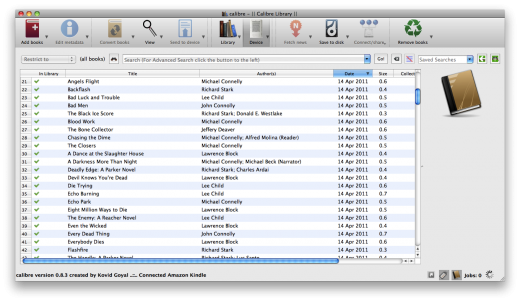
Manage, convert, sync, and more
- Library management. Calibre keeps things orderly by creating single entries for books that contains multiple formats. Add tags and comments for better searchability.
- Format conversion. Calibre’s robust conversion options support
What’s New Version 5.44.0:
New features:
- E-book viewer: Ignore accents when doing a search
- Book list searching: Ignore punctuation when searching. So that, for example, Gravitys will match Gravity's
- Show the text used for marking books in the tooltip
Bug fixes:
- Edit book: Reduce memory consumption by the checkpoint system when doing operations that involve parsing all book files
- Amazon metadata download: Fix titles starting with [ being ignored
- Edit metadata dialog: Undo not working correctly in identifiers field
- Fix viewing LRF files not working
- PDF Output: Fix an error on some invalid CSS in the input document
- Linux binary: Workaround for Qt WebEngine not working on systems with glibc > 2.33
New news sources:
- Caravan Magazine (Hindi) by Areet Mahadevan
- LWN (Free) by yodha8
- IEEE Spectrum Magazine by yodha8
- Financial Times by Kovid Goyal
- Cosmos Magazine by yodha8
Improved news sources:
- New Yorker
- OMG! Ubuntu!
- ACM Queue
- CACM
- Science News
- Quanta Magazine
- Outlook Magazine
- Indian Express
Compatibility OS X 10.9.5 or later, 64-bit processor
Release Name: calibre 5.44.0
Size: 147.7 MB
Links: HOMEPAGE – NFO – Torrent Search
Download: UPLOADGiG – NiTROFLARE – RAPiDGATOR



