

Description: USB for Remote Desktop. Access local USB devices in remote Windows session. When you work in a remote desktop environment, getting access to your locally plugged USB devices can be quite problematic. In some cases you still can use some workarounds like plugging the USB device into the remote machine directly but in the most cases it’s not a solution.
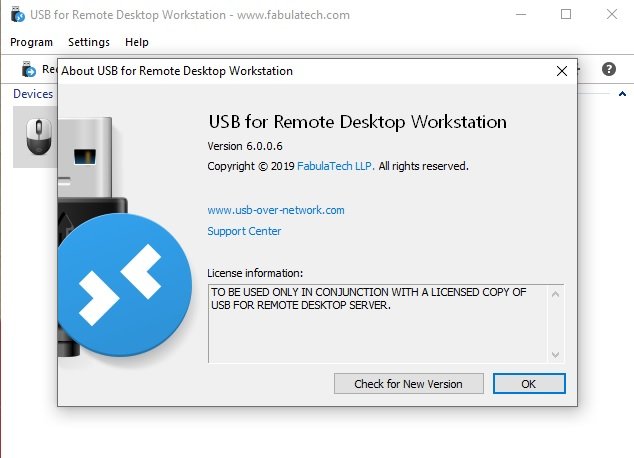
FabulaTech solution
USB for Remote Desktop is a software allowing redirection of locally plugged USB devices to your remote desktop session. It appears like the USB device is plugged directly to the remote side.
The program consists of Server and Workstation parts. The Workstation part is installed on the local computer or thin client where USB devices are physically plugged. The Server part is installed on the remote side you are connecting to. It makes redirected USB devices available for remotely logged users.
The program supports a wide range of USB hardware and does not require any special configuration.
Cross-platform support
USB for Remote Desktop supports Windows and Linux remote desktops. It does not matter what protocol is used for accessing the remote side — Microsoft RDP, Citrix ICA, Amazon WSP, NICE DCV, VMware Blast, or Teradici PCoIP. It does not matter what environment is used — Microsoft Azure, Windows 365, Remote Desktop Services, Citrix Virtual Apps and Desktops, VMware Horizon, Amazon Workspaces, etc.
Any compatible Windows and Linux Client software can be used for accessing the remote Windows and Linux side. And there is no need to change firewall settings.
And good news for macOS users! You can redirect USB devices from your Mac to the remote desktop sessions thanks to compatibility between USB over Network for macOS and USB for Remote Desktop. Basically, the macOS version of USB over Network acts as a Workstation part of USB for Remote Desktop.
Driver-free solution
USB for Remote Desktop does not require USB device drivers on the local machine or thin client. So, any new USB device can be redirected to the remote desktop session without installing USB device drivers.
Works with any USB devices
The program is not limited to some specific models of USB devices. It is compatible with any of them. So, it is really universal solution for USB device redirection. Even the most exotic USB devices can be redirected to your remote desktop environment.
Auto-redirecting of hot-plugged USB devices
Using the Administrative Utility, USB for Remote Desktop can be configured to redirect any newly plugged USB device immediately and automatically. You don't have even to divert your attention away from the working process. The program will redirect the USB devices automatically every time you plug them in.
USB port redirection
In some cases it is really convenient to use some dedicated USB port for redirection. In such case any USB device being plugged to that port will be redirected to remote side. All other devices will be for local use only.
All your data is secure
USB for Remote Desktop transfers the data directly only between Workstation and Server program parts, that are installed on your computers. It doesn't connect to FabulaTech or any third-party servers. The only exception is optional checking for new versions, therefore it is fully functional even without Internet access.
Connection between Workstation and Server is established using virtual channels as a part of remote desktop protocols. So the security level of the solution is the same as you have already set for ordinary remote desktop connection.
Release Name: FabulaTech USB for Remote Desktop 6.3.6.1
Size: 63.6 MB
Links: HOMEPAGE – NFO – Torrent Search
Download: RAPiDGATOR

