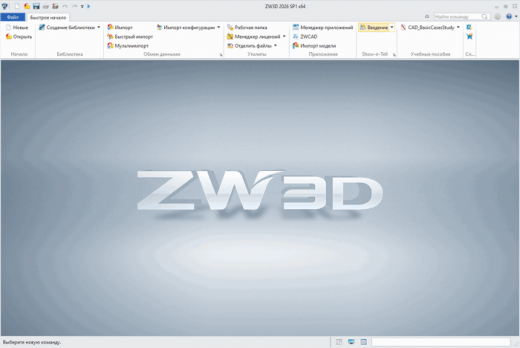
Description: ZW3D, an integrated CAD/CAM solution designed for the whole process of product development, features the fastest kernel for Solid-Surface Hybrid Modeling, non-solid mold parting and smart CNC machining strategies from 2-axis to 5-axis. It brings customers multiple benefits such as reduced costs, optimized design workflow and improved efficiency.
Piping Design Module
With this newly added module, it is more convenient than ever to design pipes with flexible routing ways, a vivid display of flow direction, rigorous specifications, powerful editing functions, etc. (not available in some countries/regions)
Sketch Block
Turn objects into sketch blocks and create new objects by inserting blocks and quickly changing their sizes.
3D Sketch
Objects in a 3D sketch are three-dimensional, can be captured or constrained, and support the use of Intelligent Point Reference. You can directly use 3D sketches as contours, paths, curves, etc. for modeling.
Geometry Healing
Analyze and quickly repair abnormal conditions (e.g. open edges, gaps, duplicate faces, intersection loops) found in the geometry of imported files.
Layer Manager
Quickly sort and organize model features in 3D: easily arrange layers via the Category attribute; control and edit layers with the Filter and Select Object in Layer functions.
Customize Features
Create one feature with all features of some geometries so that you can easily reuse features and avoid repetitive work.
Intelligent Design Tools
Raster images can be embossed on the surface of your model nice and quick with the Emboss command. Morph and Winding can be used for objects, surfaces, and STL models.
3D BOM
The attribute information of all parts can be displayed in rows and columns of a 3D BOM, edited, and directly exported to 2D engineering drawings.
Batch Rename
You can modify part names in batches with Rename Assembly without changing the assembly structure to rapidly morph serialized assembly items.
Flexible Sub-Assembly
By changing the degrees of freedom of the sub-assembly in the general assembly, you can continue changing the sub-assembly components with DOF in the general assembly.
(Dis)assembly of Sub-Assemblies
You can disassemble and drag the sub-assembly components, turn components into a sub-assembly, or save the sub-assembly as a new file or new object.
Automatic Annotation
Efficiently generate linear/diameter/radius/hole dimensions and so on with all the objects in a view or annotate the selected objects.
System Requirements:
Operating system: (64-bit only)
Microsoft® Windows7 sp1
Microsoft® Windows 8.1
Microsoft® Windows 10
Processor: Intel Core 2 Duo @2GHz or above, or equivalent AMD® processo
RAM: Recommended configuration: 4G or above
Video:
OpenGL 3.1 or above
nVIDIA Quadro FX 580 @ 512MB or above, or equivalent AMD Graphic card
Minimum configuration: 1024 x 768 VGA with True Color
Recommended configuration: 1280 x 1024 VGA with True Color or above
Release Name: ZW3D 2024 SP v28.05 Build 09.14.2023 (x64)
Size: 2.6 GB
Links: HOMEPAGE – NFO – Torrent Search
Download: FiKPER – UPLOADGiG – NiTROFLARE – RAPiDGATOR