Please REGISTER or RENEW your account on RAPiDGATOR.net and support us by doing through all RAPiDGATOR working download links on main posts...
Mar 23

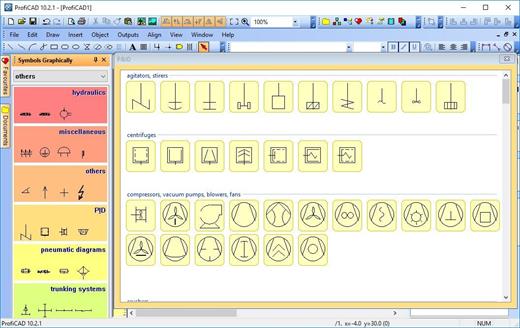
ProfiCAD 13.4.9

Description: ProfiCAD is designed for drawing electrical and electronic diagrams, schematics, and control circuit diagrams. It can also be used for pneumatics, hydraulics, and other types of technical diagrams.

Print Reports
ProfiCAD generates essential project documentation, including bill of material, list of wires, a list of terminals, a list of cables, as well as other critical parts of an electrical project.

Symbols
The program includes over two thousand symbols. You can easily create your own symbols using the symbol editor.

Title block
The title block designed in accordance with ISO 7200 can be easily adapted, for example by inserting the logo of your company. Alternatively, you can create your own title block in the title block editor.

Cross references
The program supports cross-references between wires and between symbols belonging to one component (e.g., relay coil + contacts). You can access a linked symbol on a different page by clicking on the cross-reference.

Floor plans
The page scale allows you to enter the actual dimensions of objects. Dimensioning facilitates the drawing of floor plans and mechanical drawings.

Cables and terminals
The program supports drawing cable symbols. A cable listing is available, providing an overview of their cores, cable properties, and connected devices. Thanks to the terminal list, you have an overview of all project terminals and the cables and devices connected to them.

Advanced features
Some advanced features include automatic numbering of symbols, drawing of striped wires, instant symbol search, automatic insertion of symbols into a circuit, and others.

Release Name: ProfiCAD 13.4.9
Size: 19.7 MB
Links: HOMEPAGE – NFO – Torrent Search

Download: RAPiDGATOR

7 Comments
Mar 23

Ashampoo Home Design 11.0

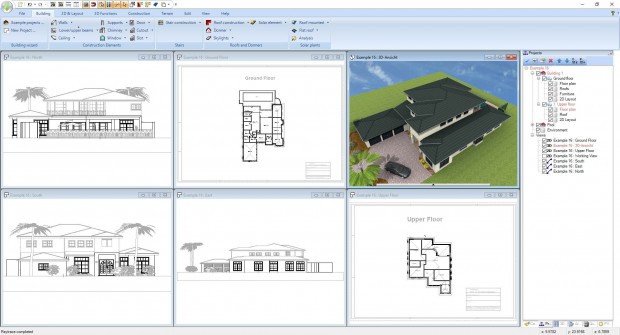
Description: Find out how easy and innovative home design can be with Ashampoo Home Design. Import and edit millions of 3D objects in formats such as SketchUp and Collada and make your visions a reality. Plan roof-mounted photovoltaic systems with intuitive assistants and virtually design rooms with a wide selection of furniture and decorations. Ashampoo Home Design takes the complicated math off your shoulders, so you can fully concentrate on the design. Explore your projects in a realistic 3D preview and use the user-friendly multi-function bar for efficient and precise results. Ashampoo Home Design is the reliable partner for all your home planning needs!

Millions of ready-to-use objects for perfect furnishing results
Ashampoo Home Design supports loading, editing and saving of various new 3D object formats. This gives you access to millions of 3D objects! Simply import them and add them to your designs! With support for SketchUp or Collada models, you can now instantly use numerous generic and brand-specific models.

Plan photovoltaic installations with ease!
Comfortable input aids help you plan sophisticated photovoltaic systems in minutes. For roof-mounted systems, you can already specify their layout, select modules from the object catalog and their placement during the setup phase. The program will automatically determine the settings for the roof as soon as you point at the target side. Once configured, the photovoltaic installation will be added to your plan.

Redecorate and view results instantly
Ashampoo Home Design is also the perfect tool to redecorate your house and garden. Layout furniture and decorations perfectly in advance and take a virtual tour. It's the easiest way to avoid nasty surprises and disappointment. Everything fits in harmonically. Thanks to a large selection of furniture, decorative elements and plants, you can give free reign to your creativity.

Complex calculations? Let the program do it for you!
Whether it's angle, length, area or volume calculations - you focus on the design, Ashampoo Home Design does the math. The program is not a mere drawing application but your ticket to highly accurate realistic models.

Fascinating 3D previews
The phenomenal 3D view allows you to take a virtual tour through your buildings - long before the first stone is laid. With Ashampoo Home Design, you move freely through your future home and take advantage of the realistic light and shadow simulation to find the perfect spots for your furniture. Visualize complex building constructions and get a glimpse of the way your future projects will look like today!

Fast and intuitive
Ashampoo Home Design uses a ribbon toolbar that groups all functions logically and thematically. This means you can quickly access each feature and since the program is optimized to make the best use of your system resources, even complex calculations and animations happen in a matter of seconds. What other home design software is this comfortable and precise?

Release Name: Ashampoo Home Design 11.0
Size: 1.7 GB
Links: HOMEPAGE – NFO – Torrent Search

Download: RAPiDGATOR

7 Comments
Mar 23

MedCalc 23.5.1

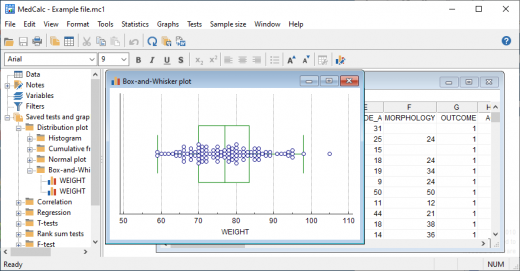
Description: MedCalc is a statistical software package for biomedical research. Includes more than 220 statistical tests, procedures and graphs. ROC curve analysis, method comparison and quality control tools. Minimal learning curve. Developed since 1993.

Easy to learn, fast and reliable
MedCalc includes more than 220 statistical tests, procedures and graphs
save graphs in SVG, PNG, JPG, high resolution TIF, or other file formats, or as PowerPoint slides (*.pptx).
free updates
available with an English, Chinese (simplified and traditional), French, German, Italian, Japanese, Korean, Polish, Portuguese (Brazilian), Russian and Spanish user-interface (help file and documentation in English)
one edition includes all features (do not pay extra for the functions you really need).
compatible with all contemporary Windows desktop editions

Data management
Integrated spreadsheet with 1 048 576 rows and 16 384 columns.
Correct handling of missing data.
Outliers can easily be excluded.
Built-in WYSIWYG text editor.
Imports Excel, Excel 2007, SPSS, DBase and Lotus files, and files in SYLK, DIF or plain text format.
Easy selection of subgroups for statistical analysis.

MedCalc Documentation
Complete HTML manual on MedCalc web site.
Comprehensive context-sensitive help.
Context help in dialog boxes.

ROC curve analysis
MedCalc is the reference software for ROC curve analysis. Our ROC curve analysis module includes:
Area Under the Curve (AUC) with standard error, 95% confidence interval, P-value. Offers choice between methodology of DeLong et al. (1988) and Hanley & McNeil (1982, 1983).
List of sensitivity, specificity, likelihood ratios, and positive and negative predictive values for all possible threshold values.
ROC curve graph with 95% Confidence Bounds.
Threshold values can be selected in an interactive dot diagram with automatic calculation of corresponding sensitivity and specificity.
Plot of sensitivity and specificity, or cost, versus criterion values.
Plot of predictive values versus prevalence.
Interval likelihood ratios.
Comparison of up to 6 ROC curves: difference between the areas under the ROC curves, with standard error, 95% confidence interval and P-value.
Sample size calculation for area under ROC curve and comparison of ROC curves.
Go to the ROC curve analysis section of the MedCalc manual for more information on ROC curve analysis in MedCalc.

Graphs
Lots of graphs, see Graph gallery.
Data point identification in graphs.
Draw text boxes, lines, arrows and connectors.
Name, save and recall graphs and statistics.
Statistical info in graph windows.
Save graphs as SVG, PNG, JPG, GIF, BMP, PCX, or high resolution TIF files, or as PowerPoint slides (*.pptx).

Release Name: MedCalc 23.5.1
Size: 171 MB
Links: HOMEPAGE – NFO – Torrent Search

Download: RAPiDGATOR

7 Comments
Mar 23

WinRAR 7.21 Beta 1

Description: WinRAR is a powerful archive manager. It can backup your data and reduce the size of email attachments, open and unpack RAR, ZIP and other files downloaded from Internet, create new archives in RAR and ZIP file format.

Features:
WinRAR provides complete support for RAR and ZIP archives and is able to unpack CAB, ARJ, LZH, TAR, GZ, UUE, BZ2, JAR, ISO, 7Z, XZ, Z archives.
WinRAR offers a graphic interactive interface utilizing mouse and menus as well as the command line interface.
When you purchase WinRAR license you are buying a license to the complete technology, no need to purchase add-ons to create self-extracting files, it's all included.
WinRAR is easier to use than many other archivers with the inclusion of a special "Wizard" mode which allows instant access to the basic archiving functions through a simple question and answer procedure. This avoids confusion in the early stages of use.
WinRAR offers you the benefit of industry strength archive encryption using AES (Advanced Encryption Standard) with a key of 256 bits.
WinRAR supports files and archives up to 8,589 billion gigabytes in size. The number of archived files is, for all practical purposes, unlimited.
WinRAR offers the ability to create self-extracting and multivolume archives.
Recovery record and recovery volumes allow to reconstruct even physically damaged archives.
WinRAR features are constantly being developed to keep WinRAR ahead of the pack.

Release Name: WinRAR 7.21 Beta 1
Size: 3.8 MB
Links: HOMEPAGE – NFO – Torrent Search

Download: RAPiDGATOR

8 Comments
Mar 23

Agisoft Metashape Professional 2.3.1 Build 22235

Description: Agisoft Metashape (formerly PhotoScan) is a stand-alone software product that performs photogrammetric processing of digital images and generates 3D spatial data to be used in GIS applications, cultural heritage documentation, and visual effects production as well as for indirect measurements of objects of various scales.

Wisely implemented digital photogrammetry technique enforced with computer vision methods results in smart automated processing system that, on the one hand, can be managed by a new-comer in the field of photogrammetry, yet, on the other hand, has a lot to offer to a specialist who can adjust the workflow to numerous specific tasks and different types of data. Throughout various case studies Metashape proves to produce quality and accurate results.

Features
Photogrammetric triangulation
Processing of various types of imagery: aerial (nadir, oblique) & close-range.
Auto calibration: frame (incl. fisheye), spherical & cylindrical cameras.
Multi camera projects support.

Dense point cloud: editing and classification
Elaborate model editing for accurate results.
Points classification to customize geometry reconstruction.
.LAS export to benefit from classical point data processing workflow.

Digital elevation model: DSM/DTM export
Digital Surface and/or Digital Terrain Model - depending on the project.
Georeferncing based on EXIF meta data/flight log: GPS/GCPs data.
EPSG registry coordinate systems support: WGS84, UTM, etc.

Georeferenced orthomosaic export
Georeferenced orthomosaic: most-GIS-compatible GeoTIFF format; .KML file to be located on Google Earth.
Export in blocks for huge projects.
Color correction for homogeneous texture.

Measurements: distances, areas, volumes
Inbuilt tools to measure distances, areas and volumes.
To perform more sophisticated metric analysis Metashape products can be smoothly transferred to external tools thanks to a variety of export formats.

Release Name: Agisoft Metashape Professional 2.3.1 Build 22235
Size: 205.1 MB
Links: HOMEPAGE – NFO – Torrent Search

Download: RAPiDGATOR

10 Comments
Mar 23

Perfectly Clear WorkBench 5.0.4.3148

Description: Perfectly Clear is the program's latest version, which also comes as a plugin for Photoshop & Lightroom. The essence of this development is simple; you have a picture, you do not like it, the skin is dull, pimples, in short, there are defects, now you can not bother with editing; a couple of clicks and here is a corrected photo, perfect, as it should be, not ashamed of social networks to pour. You can use the pens to adjust all correction parameters; many use automatic mode.

The program has 20 indicators for them that reconciliation and adjustment take place, and as a result, the picture is beautiful without any difficulties. The cameras have limitations; they can add noise to the picture, light a photo, make the skin tone terrible, etc. This plugin knows all these restrictions and will detect, eliminate, and provide; you only have to save the result.

The application will find and eliminate irregularities and other skin defects, work with dark circles under the eyes, remove excess shine in the picture, add shine, enlarge the eyes, whiten teeth, and tonify the skin. In short, now you can safely wake up and be immediately photographed; the program will process everything and be like candy, do not spend a couple of hours standing in front of a mirror.

What's New in Perfectly Clear WorkBench
Beautiful new interface
New image correction tools:
Preprocessing section for Input Looks and "Image Ambulance" for manual exposure corrections
"Face Aware" exposure for more accurate auto-exposure corrections in portraits and group photos
Black Point tool to deepen blacks
New Color Vibrancy tool to complement our previous "Vibrancy" control (now renamed to Color Restoration)
Sky and Foliage enhancements
Existing tools have been improved:
Added strength sliders to Light Diffusion and Vibrancy for better control
Better 'color pickers' for Skin Tone and Blush adjustments
Manually identify faces that are not detected automatically
One-click to zoom into individual faces
Modify facial regions to provide the best corrections
Histogram
Much improved preset management

Release Name: Perfectly Clear WorkBench 5.0.4.3148
Size: 260.9 MB
Links: HOMEPAGE – NFO – Torrent Search

Download: RAPiDGATOR

10 Comments
Mar 23

Ashampoo 3D CAD Professional 14.0

Description: Ashampoo 3D CAD Professional 14 is a comprehensive 3D CAD solution for professional architectural and construction planning. From detailed floor plans and sections to fully developed 3D building models, the software supports the complete design process with precision and technical reliability. Advanced construction tools, structured project management, and extensive object catalogs enable efficient planning of residential, commercial, and public building projects.
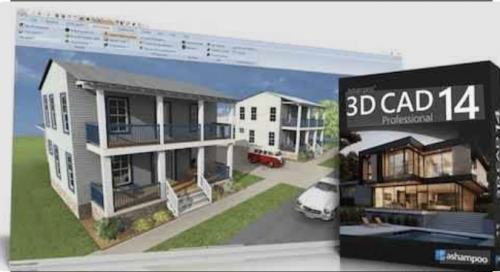
With integrated IFC-2x3 export, optimized elevation views, and powerful tools for creating fire escape plans, Professional 14 goes beyond pure design—providing a CAD environment built for modern BIM workflows and demanding project requirements.

New design and construction tools
Numeric inpPowerful electrical planning assistant included!
Electrical planning has never been easier: With the new assistant, you can place outlets, switches, and lights exactly where you need them–with just a few clicks. Choose from predefined room types and equipment configurations or create your own templates. The assistant automatically analyzes your rooms and suggests optimal placements–saving you time and helping you avoid mistakes. Whether you're a beginner or a pro, this feature makes electrical planning faster, easier, and more intuitive!

Customization and full control over electrical symbols
In addition to the built-in symbols, you can add and manage your own electrical symbols. Use custom directories to directly integrate personalized elements into your plans. The assistant automatically creates a dedicated layer for electrical symbols, so you can show or hide the entire electrical installation with a single click. You can also manually move, rotate, and adjust all symbols–for maximum flexibility and precision! The assistant even auto-enhances your planning with a parts list of all electrical components used in your project.

New doors and sliding doors–enhancing design flexibility for more realistic drafts
New door models give you even more creative options. Innovative extra: Doors with asymmetrical wall openings. Now you can realistically depict sliding doors with track systems and without awkward overlaps. This added flexibility lets you design your floor plans even more accurately and individually, perfect for modern open concepts and advanced architectural projects!

New feature highlights
Plan Layout with multiple views on a single sheet
Scaled plan layouts with PDF output
2D drawing functions for adding drawing details and enhancing floor plans
Insert scanned floor plans (JPG, PNG) as images and use them as a blueprint to trace your 3D building model
Extended 2D drawing functions with custom line types and hatching
Create and edit custom 2D symbols
Combinable roof extensions and roof openings
Extended roof variants including hall roofs
Integrated 3D Converter with material and texture editing

Standards-compliant fire escape plans directly from the project
With the integrated Fire Escape Plan Plugin, standards-compliant safety plans can be created directly based on existing floor plans. A wizard assists with scale, drawing frame placement, and layout, while a comprehensive 2D symbol catalog and automatic legend generation streamline implementation. In addition, a structured export of all used 2D symbols is available—ideal for documentation and coordination. Professional 14 significantly expands its application scope for commercial and public construction projects.

IFC export for professional BIM workflows
With the integrated IFC-2x3 Export PlugIn, Ashampoo 3D CAD Professional 14 becomes fully BIM-compatible. Complete 3D building models can be exported, including structural elements such as walls, ceilings, floors, and roof structures, as well as finishing elements like windows, doors, and stairs. 3D catalog objects and custom 3D constructions are also reliably transferred. This allows planning data to be integrated into architectural, structural engineering, or cost-estimating software, enabling efficient collaboration within connected project environments. Professional here means full control over data and future-proof standards.

Powerful design an construction tools
Numerical input tools are the ultimate solution for precise planning, which is why the program heavily emphasizes this aspect! Dedicated input modes for walls, windows, and doors make your work incredibly easy, while numerical editing tools for the same areas add more precision and flexibility to your projects. Together with custom components for windows and doors, roller shutter boxes, blinds and borders, the design and construction section is a genuine highlight of the software!

Extensive object catalogs
Ashampoo® 3D CAD Professional is popular also because of the vast number of included 3D objects. Select from a variety of suitable 3D objects and over 250 ready-to-use object groups in the object catalog! The catalog includes groups full of pre-designed garages, kitchen lines, garden houses, and saunas, among others. Create your own catalog directories and use them directly in the catalogs, it couldn't be more convenient! Look forward to a program that sets hardly any limits for you and your projects!

Less is more?
Great, then our Ashampoo® 3D CAD Architecture is what you want! You don't need to import/export of 2D DXF/DWG files or export Maxon Cinema 4D files, and you don't want to construct windows yourself? But you still want a comprehensive, fully-fledged CAD application? Then the more affordable Ashampoo® 3D CAD Architecture is the ideal solution for you! After all, why should you pay for high-level professional features you won't be using anyway? Check out the comparison matrix and find the solution that is right for you!

Release Name: Ashampoo 3D CAD Professional 14.0
Size: 1.7 GB
Links: HOMEPAGE – NFO – Torrent Search

Download: RAPiDGATOR

7 Comments
Mar 23

Trimble novapoint 2026.2 for Autocad / Civil 2021-2025

Description: Trimble Quadri BIM software is your common data environment for continuous sharing of models in production. Our civil engineering and construction software offers a cooperative collaboration platform for infrastructure projects, such as roads and railways. Trimble empowers real-time collaboration in one central model, while enabling you to track changes and access the BIM model seamlessly anywhere, at any time.

Share your central model in the cloud according to BIM requirements (BIM maturity from levels 3 and 4). Trimble Quadri BIM modeling software provides a shareable “single source of truth” for core project data that needs to be aligned, well organized, up-to-date, and accessible by all stakeholders working on the construction project.

Integrated Work Processes
All modifications are linked to a work process in our civil BIM software. Easily track or clarify issues in the model by providing notifications and alerts to anyone on the team.

Information Views
Get all the information you need with multiple ways to view your model, from 3D views to long and cross-section views. Through the Table view, Quadri civil BIM software also supports efficient and accurate quantity takeoff across the complete model, independent of what technology tool was used to create the data.

Interact in an Open Environment
Quadri BIM software connectors and standard file formats provide a software agnostic approach to data flow. With our BIM for civil technology, contractors, owners and engineers can interact in a common shared model. It’s easy to extract the data when and how you need so that you can avoid and eliminate data duplication.

System Requirements:
OS:Microsoft Windows 8.1/10/11
CPU:Intel Core i7 (minimum)
RAM:16 GB (minimum)
GPU:OpenGL-compatible professional 3D graphics card NVIDIA Quadro Graphics (Recommended)
Compability:For Novapoint 2025.1, use AutoCAD, AutoCAD Map 3D and Civil 3D versions 2021, 2022, 2023, 2024 or 2025.

Release Name: Trimble novapoint 2026.2 for Autocad / Civil 2021-2025
Size: 2.2 GB
Links: HOMEPAGE – NFO – Torrent Search

Download: RAPiDGATOR

8 Comments
Mar 23

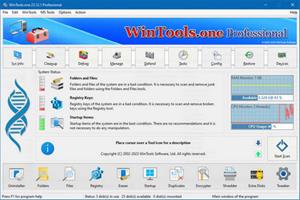
WinTools.one 26.3.1

Description: WinTools.one - this program is designed to help both ordinary users and advanced users, as well as computer engineers, fine-tune the MS Windows operating system. It allows you to increase the performance of the operating system, maintain its performance at a high level, correct operating system errors, free up space on the hard drives of your computer, and control the operation of installed programs. In addition, the program allows you to store and protect your confidential and secret information, as well as work with virtual disks.

WinTools.one contains the following tools: Clean Uninstaller, Scan Folders, Scan Files, Scan Shortcuts, Scan Registry, Objects Eraser, Startup Manager, Duplicate Files, File Encryptor, File Shredder, Extra Disks and System Tweaker, that contains dozens of useful settings and fixes.

The WinTools.one program is available in two editions: Home and Professional. WinTools.one Professional is the premium edition of the WinTools.one Home program. It includes an additional tool for managing Duplicate Files and an expanded set of features in the System Tweaker tool.

WinTools.one represents the next evolution of the WinTools.net program. Here are the key differences

between WinTools.one and WinTools.net:
It no longer supports older operating systems such as MS Windows XP and Me.
It is optimized for modern MS Windows 11 systems.
It features completely new code for x64 architecture.
The program boasts a newly modified interface.
It includes tools for working with both regular and encrypted virtual disks.
It offers an additional tool specifically for encrypting secret files.
The System Tweaker tool has been completely redesigned to cater to modern operating systems.

Release Name: WinTools.one 26.3.1
Size: 8.9 MB
Links: HOMEPAGE – NFO – Torrent Search

Download: RAPiDGATOR
9 Comments
Mar 23

SlickEdit Pro 2025 v30.0.1

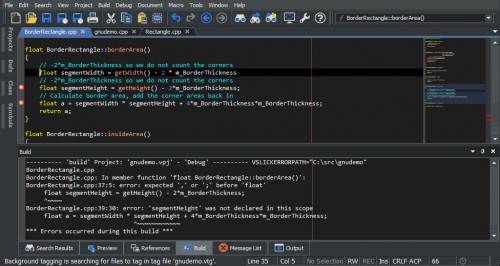
Description: SlickEdit Pro: build and debug large or complex projects. Stay in sync with version control integration and powerful file differencing tools. All your project's symbols are tagged for quick and easy lookup, analysis, and navigation.

Highlighted features:
Syntax expansion and indenting
SmartPaste®
Keystroke emulations
Multiple cursors and selections
Backup History
Macro recording in Slick-C
Edit files up to 2 TB

All Standard Edition features, plus:
Symbol analysis and navigation
Debuggers
Integrated builds
Beautifiers
Diffzilla with editing and folder diff support
Version control support with Shelving
Java Live Errors
JUnit Integration
Macro development in Slick-C with no limit on recorded macros.

Release Name: SlickEdit Pro 2025 v30.0.1
Size: 244 MB
Links: HOMEPAGE – NFO – Torrent Search

Download: RAPiDGATOR

8 Comments