Please REGISTER or RENEW your account on RAPiDGATOR.net and support us by doing through all RAPiDGATOR working download links on main posts...
Nov 27

Mountain Duck 5.1.0.28309

Description: Cyberduck for mounting volumes in the file explorer. Mountain Duck lets you mount server and cloud storage as a disk in Finder on macOS and the File Explorer on Windows. Open remote files with any application and work like on a local volume.

Smart Synchronization
View all files on your remote storage regardless if synced to your computer. Files are synchronized to your local disk when opened to allow offline usage.

Work Offline
Select files and folders to always keep offline on your computer. Other files are downloaded and cached on demand only and otherwise do not take space on your local disk.

Background Uploads
Changes are uploaded in the background as soon as a connection is available. Status icons indicate sync progress.

Fully integrated unobtrusive interface
Runs in the status bar on macOS or the system tray on Windows with sync progress, file history and connection management. Sync options at your fingertip with context menu in Finder and File Explorer.

Notifications
Notification badge when a file is added or updated on the server.

History
Detailed view of transfers in progress and history of recently edited files on your computer and on the server.

Share
Share files using the context directly in Finder on macOS and Windows Explorer. Create links for others that auto expire with Amazon S3, OpenStack Swift, Microsoft Azure, Backblaze B2 and others. Mountain Duck also supports creating shares in Dropbox, Google Drive, Backblaze B2, Microsoft OneDrive and NextCloud & ownCloud deployments

File Locking
Locking files to prevent conflicting edits from others when opening documents in Microsoft Office. Locks files on WebDAV servers when supported or alternatively using lock owner files.

Versions
Open and revert previous versions of files in versioned Amazon S3 buckets. Preview earlier versions with Quick Look or the default editor application.


Release Name: Mountain Duck 5.1.0.28309
Size: 168.4 MB
Links: HOMEPAGE – NFO – Torrent Search

Download: RAPiDGATOR

11 Comments
Nov 27

Wondershare PDFelement Professional 12.1.1.3852

Description: The PDF Experience, Simplified. The easiest way to create, edit, convert and sign PDF documents. Get control over PDFs like never before. The most Powerful and Simple PDF solution that changes the way you work with your important documents forever.

Edit PDF Like Word
Wondershare PDFelement enables you to edit PDF documents just as easily as you would in Word documents.

Edit PDF Text
Add, edit, remove text, link, watermark, header&footer, or bates numbers on your PDF easily. You can also edit the size, font, and color of the added content.
When you need to change the background of the PDF file, you can also add or change the file's background with any color, PDF or image.

Edit PDF Image
Click on an image, then move, rotate, crop (resize), extract, replace, overturn or delete images in PDF. Even you can set the Z-Order of the image.
Export each image in a PDF to a separate image file with "Convert" feature of Batch Process tool.

Move and Align Objects
It is easy to move an item forward or back just one level, or send it to the front or back of the stacking order of elements on the page.
The Align properties options (in the right-hand panel on Windows version, or right-click to call up the Align properties) let you precisely align multiple objects on a side - left, right, top, bottom vertical center, and horizontal center.

Edit PDF Pages
Organizing pages in PDFelement is intuitively simple and fast. It is easy to sort, add, rotate, move, split, crop and delete PDF pages with PDFelement in a second, from anywhere.

Edit PDF Forms
PDFelement can help you create, edit PDF forms easily, also turn PDFs into fillable forms with "Recognize Form" tool or just add, delete, and drag and drop form fields or enable fields for e-signatures.
You can even add calculations and data validation rules to your form. It is simple!

Edit Scanned PDF
When you open a scanned document for editing, you need to perform OCR feature(optical character recognition) on PDFelement.
It can recognize text and characters from PDF scanned documents (including multipage files), photographs or digital camera captured images, so to make the PDF documents editable and searchable.

Edit Password Protected PDF
Unlock the PDF by entering the correct password so to access the file. Then you can edit, print, copy, comment, sign, organize the PDF file.
You can also remove security from a PDF if you have the document password.

Your Complete PDF Convert Solution
Convert PDFs into secure file formats, like Microsoft Office, image, text etc. in high-quality and minimum effort.

PDF to Word
Batch-convert PDF files to Word documents without losing fonts and formats. It supports .docx, .doc.

PDF to Excel
Convert PDFs to Microsoft Excel files: xlsx, xls, XML.

PDF to PPT
Convert PDFs to Microsoft PowerPoint files: .pptx, .ppt.

PDF to Image
Convert PDFs as separate images or into one single image with any image quality you want. It supports JPG, PNG, BMP, GIF, and TIFF.

Release Name: Wondershare PDFelement Professional 12.1.1.3852
Size: 271.6 MB
Links: HOMEPAGE – NFO – Torrent Search

Download: RAPiDGATOR

11 Comments
Nov 27

Atlantis Word Processor 5.0.0.11


Description:
 Atlantis is an innovative, no-nonsense word processor carefully designed with the end-user in mind. Compact, fast-loading, but still powerful and efficient, Atlantis will be the perfect companion for a wide range of your word processing tasks, – from simple to most complex. It does not matter if you are a novice or a power user, Atlantis has the tools you will ever need to compose highly professional documents. Using a most original and practical Control Board, you will create and manage all components of complex documents with unparalleled ease: sections, fields, headers & footers, newspaper columns, bulleted & numbered lists, styles, bookmarks, footnotes & endnotes, etc, all are a breeze with Atlantis.

Both the Safeguard and Backup Files features make sure that you work under extremely safe conditions. Private documents can also be encoded and secured: you can save them to a proprietary COD file format using powerful 256-bit encryption technology.

The Atlantis AutoCorrect and Spellcheck-As-You-Type features combine with a unique typing assist, the Atlantis Power Type, to dramatically simplify your word processing life. The Overused Words feature will help creative writers avoid repetitions and clichйs.

The Atlantis interface is entirely customizable: menus, toolbars, hot keys, colors and sounds can all be adjusted to suit your own requirements. What's more, Atlantis is a fully portable word processor. You can install Atlantis to a memory flash drive, and Atlantis will travel with you wherever you go.

THE WORD PROCESSING FUNCTIONS:
Document creation and formatting is easy, using a customizable and expandable collection of document templates and sample letters.

Comprehensive Style Sheet support is available for advanced users.
A customizable and expandable Clip Library is stocked with text and graphic items ready to be inserted in larger documents whenever suitable. The Atlantis original collections of clips include everyday phrases, letter writing elements, clip art, etc.
Of course, all the traditional font and paragraph formatting commands are present:

choice of typeface, font size, font color. A state of the art typeface preview.
bold, italic, underline, strikeout, double strikeout, superscript, subscript, small caps, all caps, shadow, outline, emboss, engrave.

choice of 17 underline styles; choice of underline color.
character spacing, scaling, kerning, vertical offset.
fully customizable tab stops.
left/right paragraph indent, first line indent and outdent.
spacing before/after paragraph, 6 types of interline spacing.
keep with next paragraph, keep intact, page break before, widow/orphan control.
and plenty more, only a key press or mouse click away...

More than 20 fields are supported. The corresponding items are quickly inserted and automatically updated by Atlantis. Fields make document and template creation very flexible. What's more, we have made sure that fields are not restricted to advanced users: using fields in Atlantis is child's play!

Words can be hyphenated across lines automatically or manually.
You can create newspaper-type columns, divide documents into sections, each section with its own page settings.
You have two graphic-type formatting modes to change font color and highlight text. You will use specific mouse pointers to format text in the same way as you would with a paint brush.

Atlantis introduces a revolutionary approach to document formatting with a Format Palette and Brush. Even the most complex formatting jobs can be done exclusively with a brush-like mouse cursor and a palette loaded with formatting templates. You can use the Atlantis default palette or customize your own format palettes in any way you like.

The Format Palette is only one of the instruments present on the Atlantis Control Board. The Atlantis Control Board brings together all the tools and commands that are required to create both simple and complex documents with the greatest of ease. Each panel of the Atlantis Control Board is dedicated to one specific characteristic of the active document. You have separate overviews of the document Headings, Bookmarks, Sections, Styles, or Lists, with all the related commands directly available from each specific panel of the Control Board. Tools and commands to manage Headings are on hand on the "Headings" panel, tools and commands to manage Bookmarks are on hand on the "Bookmarks" panel. Etc. This gives you unequaled power and flexibility.

The AutoCorrect feature of Atlantis has fully customizable multilingual options, and will dramatically simplify your word processing life. It combines flexibility with power for unparalleled control over the typing and formatting of documents. Some of the Atlantis AutoCorrect functions are still unheard-of in today's top-end word processors. Texts are proofread in the background "As-You-Type", or, optionally, when typing is complete.

A multilingual spellchecker will help you create documents with perfect language. Spelling is checked "As-You-Type", or, again, optionally, when typing is complete. Original Atlantis Spellcheckers are available for 16 languages or dialects. And of course, you can create and augment as many custom dictionaries as you wish.

Power Type is a typing assist adding unique functionality to Atlantis. Working in close cooperation with our proprietary spellchecker engine, Power Type collects statistical information about the texts that you type, creating a smart database of the words that you use most, and also of their usual environment. When you start typing the same words again, Atlantis gives a warning sound, pops a small window up, and displays a list of words beginning with the same characters. But this is not all. The Atlantis Power Type has learning abilities. As time goes by, the Power Type database gets smarter, and you will notice that the typing suggestions are more and more appropriate. Of course, the Atlantis Power Type is invaluable for people with disabilities. But also for slow "one-finger" typists.

The Overused Words feature will help creative writers avoid repetitions and clichйs if they want their texts to be read with any interest or pleasure. The Overused Words feature will show detailed statistics about repetitions and word frequency. This will tell you where words need to be replaced with synonyms, or whole paragraphs reworked.

To improve the reading and understanding of the documents you create in Atlantis, you can add bookmarks, hyperlinks, table of contents to them. Atlantis can build table of contents automatically at the press of a few keys.
All documents created in Atlantis can be "Saved As Web Page", i.e. saved as HTML. This will help owners of personal Web sites, and also e-book creators tremendously. Atlantis also has a command to convert any document to an eBook with just a few mouse clicks.

You will find comprehensive support for all types of lists, bulleted and numbered, whether simple (one level) or outline (multilevel). Where numbered lists are concerned, we have placed the highest emphasis on reliability. You will design foolproof numbering schemes from simplest to most complex with the greatest of ease. And, uniquely, you will be able to fix the wrong numbering of lists created in other not so smart word processors.

Headers and footers are fully supported. And so are footnotes and endnotes. You can insert footnotes and/or endnotes, choosing from a wide range of different reference marks. What's more, and quite uncommonly, you can configure footnotes and endnotes differently from one document section to the other.

DOCUMENT SUPPORT IS COMPREHENSIVE:

Document size is literally unlimited.
Multiple document formats are supported, insuring maximum portability on all systems: RTF, MS Word DOC 6.0/95/97/2000/XP/2003,Vista, Seven DOCX, etc.
Support for document projects.

Multiple graphic formats can be used to complement text: BMP, EMF, WMF, JPG, GIF, PNG, PCX, TGA, TIF, PCD, ICO, etc.
You have an option to save documents in a supercompact lightweight RTF format. Combined with the Atlantis internal Zip compression, this option is ideal for files traveling on the Internet.

Release Name: Atlantis Word Processor 5.0.0.11
Size: 1.9 MB
Links: HOMEPAGE – NFO – Torrent Search

Download: RAPiDGATOR

5 Comments
Nov 27

reaConverter Pro 8.0.161

Description: Easily process full batches of files and folders. reaConverter combines powerful automation with intuitive tools to streamline image conversion and eliminate repetitive editing.

700+ File Formats
reaConverter delivers high-efficiency batch conversion for an extensive range of file formats.

Efficient Conversion
A powerful file conversion toolkit with advanced processing features — giving you precise, granular control over every output.

Image Editing
reaConverter simplifies batch image editing — apply touch-ups, transformations, and effects to unlimited images simultaneously.

Automation
Professional-grade automation features for high-volume file conversion and batch processing.

Development
Integrate reaConverter's functionality into scripts, applications, or websites using its command-line tool or DLL.

Release Name: reaConverter Pro 8.0.161
Size: 425.3 MB
Links: HOMEPAGE – NFO – Torrent Search

Download: RAPiDGATOR
11 Comments
Nov 26

VoiceAgent 1.0.20

Description: Turn Your Voice into instant text anywhere on your PC. Voiceagent runs 100% locally, transcribing your speech in real-time and pasting it directly where your cursor is. Seamless Voice-to-text in just 3 steps. Just press, speak, and your words appear—no setup, no hassle.

Activate Voiceagent
Press Ctrl+Space + left mouse to activate.

Speak Naturally
Talk freely, and our AI understands context, punctuation, and technical terms with precision.

Text Appears Instantly
Your words are transcribed and seamlessly pasted exactly where your cursor is.

Your Voice, Your Privacy.
100% Local Processing. Unlike cloud-based alternatives, VoiceAgent runs entirely on your device ensuring full privacy and security.

100% Local Processing
No internet connection needed

Enterprise-Ready
Works with corporate security policies

No browser dependency
Use in any application securely

More Than Just Dictation
- Smart Modes for Every Need.
- More Than Just Dictation – Smart Modes for Every Need.
- Formal Mode Polishes and formats text.
- Explain Mode Expands technical ideas.
- Summarize Mode Condenses long thoughts.
- Code Mode Dictates structured code
- Translate Mode Converts speech into multiple languages

Customize Every Word to Fit Your Workflow
Voiceagent’s built-in Editor gives you full control over how your speech is transformed into text—so it sounds exactly the way you need it to.

- Write emails, code, or summaries, your way
- Save custom voice modes for different tasks
- Pre-load instructions for tone and structure
- Everything runs offline, your data stays with you

System Requirements
- Windows 10 version 17763.0 or higher (64-bit)
- Memory: 4 GB (Minimum), 8 GB (Recommended)

Release Name: VoiceAgent 1.0.20
Size: 1.5 GB
Links: HOMEPAGE – NFO – Torrent Search

Download: RAPiDGATOR

11 Comments
Nov 26

Internet Download Manager 6.42 Build 56

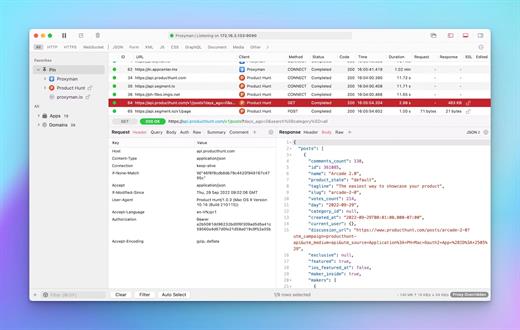
Description: Internet Download Manager has a smart download logic accelerator that features intelligent dynamic file segmentation and safe multipart downloading technology to accelerate your downloads. Unlike other download accelerators and managers that segment files before downloading starts, Internet Download Manager segments downloaded files dynamically during download process.

Features
- All popular browsers and applications are supported!
Internet Download Manager has been tested with the following browsers: Internet Explorer, MSN Explorer, AOL, Netscape Communicator, Netscape 6, Netscape 7, Mozilla, Mozilla Firefox, Mozilla Firebird, Opera, NetCaptor, UltraBrowser, Slim Browser, Avant Browser, MyIE2, Optimal Desktop, Ace Explorer, Advanced Browser, 27 Tools-in-1 Wichio Browser, WindowSurfer, 550 Access Browser, FineBrowser Freeware, Kopassa Browser, Fast Browser Pro, Enigma Browser, GoSuRF, K-Meleon, Smart Explorer, The Off By One Web Browser, Smartalec Voyager, CrystalPort AppCapture, The Family Browser, XANA Web Browser, Bluto, AutoSurf, 32bit Web Browser, BrowseMan, WrestlingBrowser, Eminem Browser, UltraBrowser, Cygsoft LDAP Browser, and Net M@nager. Internet Download Manager supports all versions of popular browsers, and can be integrated into any 3rd party Internet applications.

- Easy downloading with one click.
When you click on a download link in a browser, IDM will take over the download and accelerate it. IDM supports HTTP, FTP, HTTPS and MMS protocols.

- Download Speed Acceleration.
Internet Download Manager can accelerate downloads by up to 5 times due to its intelligent dynamic file segmentation technology. Unlike other download managers and accelerators Internet Download Manager segments downloaded files dynamically during download process and reuses available connections without additional connect and login stages to achieve best acceleration performance.

- Download Resume.
Internet Download Manager will resume unfinished download from the place where they left off.

- YouTube grabber.
Internet Download Manager can grab FLV videos from popular sites like YouTube, MySpaceTV, and Google Video.

- Simple installation wizard.
Quick and easy installation program will make necessary settings for you, and check your connection at the end to ensure trouble free installation of Internet Download Manager

- Drag and Drop.
You may simply drag and drop links to IDM, and drag and drop downloaded files out of Internet Download Manager.

- Automatic Antivirus checking.
Antivirus checking makes your downloads free from viruses and trojans.

- Advanced Browser Integration.
When enabled, the feature can be used to catch any download from any application. None of download managers have this feature.

- Built-in Scheduler.
Internet Download Manager can connect to the Internet at a set time, download the files you want, disconnect, or shut down your computer when it's done.

- IDM includes web site spider and grabber.
IDM downloads all required files that are specified with filters from web sites, for example all pictures from a web site, or subsets of web sites, or complete web sites for offline browsing. It's possible to schedule multiple grabber projects to run them once at a specified time, stop them at a specified time, or run periodically to synchronize changes.

- IDM supports many types of proxy servers.
For example, IDM works with Microsoft ISA, and FTP proxy servers.

- IDM supports main authentication protocols
Basic, Negotiate, NTLM, and Keberos. Thus IDM can access many Internet and proxy servers using login name and password.

- Download All feature.
IDM can add all downloads linked to the current page. It's easy to download multiple files with this feature.

- Customizable Interface.
You may choose the order, and what buttons and columns appear on the main IDM window.

- Download Categories.
Internet Download Manager can be used to organize downloads automatically using defined download categories.

- Quick Update Feature.
Quick update may check for new versions of IDM and update IDM once per week.

- Download limits.
Progressive downloading with quotas feature. The feature is useful for connections that use some kind of fair access policy (or FAP) like Direcway, Direct PC, Hughes, etc.

- IDM is multilingual.
IDM is translated to Albanian, Arabic, Azerbaijan, Bosnian, Bulgarian, Chinese, Croatian, Czech, Danish, Dutch, Farsi, French, German, Greek, Hebrew, Hungarian, Italian, Japanese, Korean, Lithuanian, Macedonian, Norwegian, Polish, Portuguese, Romanian, Russian, Serbian, Slovak, Slovenian, Spanish, Thai, Turkish, and Uzbek languages.

Release Name: Internet Download Manager 6.42 Build 56
Size: 23.6 MB
Links: HOMEPAGE – NFO – Torrent Search

Download: RAPiDGATOR
11 Comments
Nov 26

Tenorshare 4DDiG Windows Backup 1.1.0.22

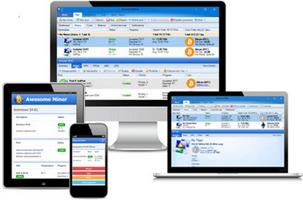
Description: Reliable Windows Backup Tool. Backup file, partition or computer to computer or external device. Full system backup to keep your system safe. Restore a specific partition from a full backup to save time. Task management dashboard to backup effortlessly.

One-click Backup Your Data
PC Backup - Simple Like That
Deletion, overwrite, corruption or sudden crash can cause data loss. To keep data safe, easily create a backup of your files, partition, disk or system with 4DDiG Windows Backup. Create a backup task, select what you want to backup and where you store the backup. Complete the backup process, and you can restore it at anytime.

File Backup
Backup important files for data safety. Restore files to original version whether it is lost, overwritten or corrupted.

Partition/Disk Backup
Keep a backup of partition or the whole disk to prevent data loss.

System Backup
Backup system so that you can restore to previous version when your computer crash or in bad performance.

System Supported
Operating System: Windows 11/10/8.1/8/7
Files System: NTFS, exFAT, and FAT16/FAT32

Release Name: Tenorshare 4DDiG Windows Backup 1.1.0.22
Size: 70.8 MB
Links: HOMEPAGE – NFO – Torrent Search

Download: RAPiDGATOR
10 Comments
Nov 26

Steinberg SpectraLayers Pro 12.0.40

Description: SpectraLayers is a new approach to audio editing, with new concepts to transform the way you work. For the first time you can directly edit spectral data, opening advanced sonic worlds, and use innovative enhancements to traditional techniques. Visualize audio in astonishing new ways, including 3D. Work with mixes like they were tracks. Integrate these abilities into your DAW and other tools. And all in a familiar interface that you didn’t realize you already knew.

THE ADVANCED TOOL YOU ALREADY KNOW
SpectraLayers is the first completely visual editing system for audio. It extends the traditional visualization of spectral editors to every aspect of editing sounds, including how they mix together. To make this approach intuitive, SpectraLayers employs the model of high-end image editors — not just the interface, but what you can do with sound and how you do it. So, despite its advanced technology, SpectraLayers is immediately familiar and instantly powerful.

Retouch Audio
The most natural, powerful and precise editing is made directly in the medium. Paint and brushes, retouching and photographs, video and frames. SpectraLayers introduces this way of editing to audio. Start with the spectral domain, where time, frequency and amplitude are all visible. Use the power of 22 advanced tools — modification, drawing, selection, measurement, marking and listening with your mouse, or a pressure-sensitive stylus.

Advanced Selection Engine
Transcend traditional audio editing with the industry’s most advanced selection engine. Create any selection shape — drawn freehand, with geometry-based tools or automatically based on audio features. Add fully visualized crossfade masks and real-time previews. Use selections for spectral playback, selection-based effects, and our Visual Transformation Engine. Alternatively, use selections to protect audio from modification, extract selections to other Layers, and compose 2D soundscapes. Even save and recall them.

Selection-Based Effects: Re-Imagined

SpectraLayers re-imagines selection-based processing, the editing technique most common in other spectral tools. It starts with our Advanced Selection Engine (ASE). Apply SpectraLayers’ industry-standard restoration effects, such as spectral noise reduction and audio healing. In another industry first, you can also use External Editor Processing to use the effects in your other audio tools, such as WaveLab, iZotope RX® and Melodyne® with full ASE compatibility. Undo and redo these edits like any other — instantly.

Transpose the Way You Transform
SpectraLayers employs the industry’s only visual transformation system for sound. And it’s real-time, with full-resolution previewing. Move, scale and stretch audio as you drag your mouse (or stylus) to align musical features while you transform, and measure your changes with markers and timelines. Of course, you can also do it how everyone else does, using numbers. Either way, all transformations are powered by the Advanced Selection Engine.

Tracks and Regions, Evolved
Layers are at the heart of SpectraLayers. They’re compatible with regions and tracks, but more powerful. Seeing them shows you how they sound — both individually and mixed with other Layers. You can edit them while seeing how your changes affect other tracks — in real time. Using any editing method, instantly previewed with every tool.

Release Name: Steinberg SpectraLayers Pro 12.0.40
Size: 4.1 GB
Links: HOMEPAGE – NFO – Torrent Search

Download: RAPiDGATOR
9 Comments
Nov 26

R-Studio 9.5 Build 191645

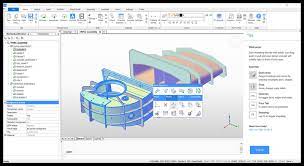
Disk Recovery Software and Hard Drive Recovery tool. Empowered by the new unique data recovery technologies, R-STUDIO is the most comprehensive data recovery solution for recovery files from NTFS, NTFS5, ReFS, FAT12/16/32, exFAT, HFS/HFS+ and APFS (Macintosh), XFS, Little and Big Endian variants of UFS1/UFS2 (FreeBSD/OpenBSD/NetBSD/Solaris) and Ext2/Ext3/Ext4 FS (Linux) partitions.

It also uses raw file recovery (scan for known file types) for heavily damaged or unknown file systems. It functions on local and network disks, even if such partitions are formatted, damaged or deleted. Flexible parameter settings give you absolute control over data recovery.

R-Studio utilities recover files:
Deleted without Recycle Bin, or when Recycle Bin has been emptied;
Removed by virus attack or power failure;
After the partition with the files was reformatted, even for different file system;
Recovering data if: VIRUS has invaded; FAT is damaged; MBR is destroyed; FDISK or other disk utilities have been run;
When the partition structure on a hard disk was changed or damaged;
Data recovery on damaged or deleted partitions;
From hard disk with bad sectors;
When necessary R-Studio can also wipe data on hard drives to prevent accidental data leaks when the drives are to be sold, given away, or disposed off in any other way.

Support for:
Basic(MBR), GPT, BSD(UNIX), APM(Apple partition map) partitions layout schemes;
Support for Bitlocker Drive Encryption, both for BitLocker Drive Encryption and BitLocker ToGo volumes;
Dynamic volumes, Windows Storage Spaces (Windows 2000-2022/8.1/10/11);
Apple software RAIDs, CoreStorage, File Vault, and Fusion Drive;
Linux Logical Volume Manager (LVM/LVM2) and mdadm RAIDs;
Intel Software RAIDs;
R-Studio can automatically recognize and assemble the components of these disk managers even if their databases are slightly damaged. Their components with severe corrupted databases can be added manually.
Support for VMDK/VHD/VHDX/VDI file formats. Read-only for all versions, creation for Technician/T80+ versions.
Read-only support for dmg files (Apple Disk Image: all versions ), E01/(EWF) files (Expert Witness File Format: R-Studio Technician/T80+), and AFF files (Advanced Forensic Format: R-Studio Technician/T80+).

Advanced data recovery algorithm:
to increase the quality of file recovery when the file system is not damaged;
to recover files that are not recognized in file system metadata and not found during a disk scanning procedure;
to fast search for lost partitions;
to recover files from devices with unknown file systems, including HD, CD, DVD, floppy disk, Compact-Flash Card, USB drive, ZIP drive, Memory Sticks and other removable media.

Support for specific file system features:
Recognitions of localized names;
NTFS encrypted files, NTFS alternative data streams, NTFS data deduplication, NTFS LogFile, NTFS Symbolic Links & Directory Junctions;
ReFS: symbolic links, directory junctions, deduplication;
HFS+ journal processing, HFS+ extended attributes, HFS+ compressed files;
Advanced APFS recovery: support for encryption;
Ext2/Ext3/Ext4 FS/UFS journal processing and extended attributes;
XFS extended attributes;
Recovery of names and paths for files deleted to Recycle Bin and Trash.

Release Name: R-Studio 9.5 Build 191645
Size: 139.9 MB
Links: HOMEPAGE – NFO – Torrent Search

Download: RAPiDGATOR
11 Comments
Nov 26

AI Voice Changer 5.5.2

Description: AI Voice Changer is a real-time voice-changing tool powered by artificial intelligence technology. It allows users to easily alter their voice style, timbre, and intonation to create a unique voice experience. Whether for gaming, live entertainment, voice chat, or content creation, AI Voice Changer delivers natural, smooth, intelligent, and precise voice-changing effects.

Key Features
- Dual Recording Mode
- Recording Mode: Record audio first, then apply effects and process it.
- Real-Time Mode: Real-time voice conversion with instant effects.
- Extensive Voice Effects Library
- Characters: Mickey, Donald Duck, Minions, Pikachu
- Age Effects: Lolita, Shota, and Elderly Voice Changers
- Fantasy: Ghost, Demon, and Angel Voiceovers
- Environments: Echo, Underwater, Phone, Broadcast, and Loudspeaker Voiceovers
- Music Styles: Opera, Jazz, Rock, Classical, and Electronic
- Effects: Whispering, Shouting, Drunk, Sleepy, and Excited
- Robot/AI: Robot, Cyborg, and AI Voiceovers
- Animals: Chipmunk, Bear, and Cat Voiceovers
- Sci-Fi: Aliens, Spaceships, and Holograms
- Emotions: Sadness, Happiness, Angry, and Fear
- Professionals: Narrators, Announcers, and Teachers

Suitable Scenarios
- Voice Changing for Online Gaming or Voice Chat.
- Creating Unique Voices for Live Streaming and Short Videos.
- Voice Dubbing and Avatar Voiceover Production.
- Voice Disguising for Privacy Protection.

The AI ​​Voice Changer combines deep learning and audio processing technology to give every voice a fresh, original sound. Whether for entertainment or creative expression, it empowers you to be more creative and expressive.

System Requirements
Windows 10 version 14316.0 or higher

Microsoft Store - Full Version


Release Name: AI Voice Changer 5.5.2
Size: 113.9 MB
Links: HOMEPAGE – NFO – Torrent Search

Download: RAPiDGATOR

10 Comments