Please REGISTER or RENEW your account on RAPiDGATOR.net and support us by doing through all RAPiDGATOR working download links on main posts...
Nov 26

Internet Download Manager 6.42 Build 56

Description: Internet Download Manager has a smart download logic accelerator that features intelligent dynamic file segmentation and safe multipart downloading technology to accelerate your downloads. Unlike other download accelerators and managers that segment files before downloading starts, Internet Download Manager segments downloaded files dynamically during download process.

Features
- All popular browsers and applications are supported!
Internet Download Manager has been tested with the following browsers: Internet Explorer, MSN Explorer, AOL, Netscape Communicator, Netscape 6, Netscape 7, Mozilla, Mozilla Firefox, Mozilla Firebird, Opera, NetCaptor, UltraBrowser, Slim Browser, Avant Browser, MyIE2, Optimal Desktop, Ace Explorer, Advanced Browser, 27 Tools-in-1 Wichio Browser, WindowSurfer, 550 Access Browser, FineBrowser Freeware, Kopassa Browser, Fast Browser Pro, Enigma Browser, GoSuRF, K-Meleon, Smart Explorer, The Off By One Web Browser, Smartalec Voyager, CrystalPort AppCapture, The Family Browser, XANA Web Browser, Bluto, AutoSurf, 32bit Web Browser, BrowseMan, WrestlingBrowser, Eminem Browser, UltraBrowser, Cygsoft LDAP Browser, and Net M@nager. Internet Download Manager supports all versions of popular browsers, and can be integrated into any 3rd party Internet applications.

- Easy downloading with one click.
When you click on a download link in a browser, IDM will take over the download and accelerate it. IDM supports HTTP, FTP, HTTPS and MMS protocols.

- Download Speed Acceleration.
Internet Download Manager can accelerate downloads by up to 5 times due to its intelligent dynamic file segmentation technology. Unlike other download managers and accelerators Internet Download Manager segments downloaded files dynamically during download process and reuses available connections without additional connect and login stages to achieve best acceleration performance.

- Download Resume.
Internet Download Manager will resume unfinished download from the place where they left off.

- YouTube grabber.
Internet Download Manager can grab FLV videos from popular sites like YouTube, MySpaceTV, and Google Video.

- Simple installation wizard.
Quick and easy installation program will make necessary settings for you, and check your connection at the end to ensure trouble free installation of Internet Download Manager

- Drag and Drop.
You may simply drag and drop links to IDM, and drag and drop downloaded files out of Internet Download Manager.

- Automatic Antivirus checking.
Antivirus checking makes your downloads free from viruses and trojans.

- Advanced Browser Integration.
When enabled, the feature can be used to catch any download from any application. None of download managers have this feature.

- Built-in Scheduler.
Internet Download Manager can connect to the Internet at a set time, download the files you want, disconnect, or shut down your computer when it's done.

- IDM includes web site spider and grabber.
IDM downloads all required files that are specified with filters from web sites, for example all pictures from a web site, or subsets of web sites, or complete web sites for offline browsing. It's possible to schedule multiple grabber projects to run them once at a specified time, stop them at a specified time, or run periodically to synchronize changes.

- IDM supports many types of proxy servers.
For example, IDM works with Microsoft ISA, and FTP proxy servers.

- IDM supports main authentication protocols
Basic, Negotiate, NTLM, and Keberos. Thus IDM can access many Internet and proxy servers using login name and password.

- Download All feature.
IDM can add all downloads linked to the current page. It's easy to download multiple files with this feature.

- Customizable Interface.
You may choose the order, and what buttons and columns appear on the main IDM window.

- Download Categories.
Internet Download Manager can be used to organize downloads automatically using defined download categories.

- Quick Update Feature.
Quick update may check for new versions of IDM and update IDM once per week.

- Download limits.
Progressive downloading with quotas feature. The feature is useful for connections that use some kind of fair access policy (or FAP) like Direcway, Direct PC, Hughes, etc.

- IDM is multilingual.
IDM is translated to Albanian, Arabic, Azerbaijan, Bosnian, Bulgarian, Chinese, Croatian, Czech, Danish, Dutch, Farsi, French, German, Greek, Hebrew, Hungarian, Italian, Japanese, Korean, Lithuanian, Macedonian, Norwegian, Polish, Portuguese, Romanian, Russian, Serbian, Slovak, Slovenian, Spanish, Thai, Turkish, and Uzbek languages.

Release Name: Internet Download Manager 6.42 Build 56
Size: 23.6 MB
Links: HOMEPAGE – NFO – Torrent Search

Download: RAPiDGATOR

11 Comments
Nov 26

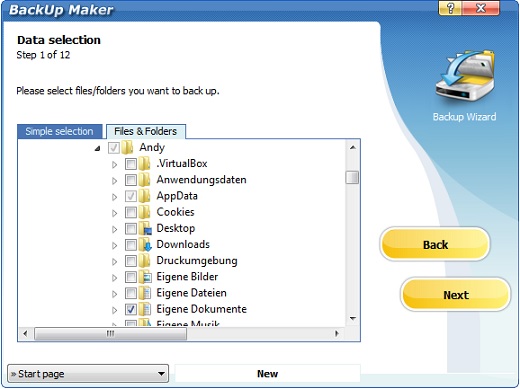
Tenorshare 4DDiG Windows Backup 1.1.0.22

Description: Reliable Windows Backup Tool. Backup file, partition or computer to computer or external device. Full system backup to keep your system safe. Restore a specific partition from a full backup to save time. Task management dashboard to backup effortlessly.

One-click Backup Your Data
PC Backup - Simple Like That
Deletion, overwrite, corruption or sudden crash can cause data loss. To keep data safe, easily create a backup of your files, partition, disk or system with 4DDiG Windows Backup. Create a backup task, select what you want to backup and where you store the backup. Complete the backup process, and you can restore it at anytime.

File Backup
Backup important files for data safety. Restore files to original version whether it is lost, overwritten or corrupted.

Partition/Disk Backup
Keep a backup of partition or the whole disk to prevent data loss.

System Backup
Backup system so that you can restore to previous version when your computer crash or in bad performance.

System Supported
Operating System: Windows 11/10/8.1/8/7
Files System: NTFS, exFAT, and FAT16/FAT32

Release Name: Tenorshare 4DDiG Windows Backup 1.1.0.22
Size: 70.8 MB
Links: HOMEPAGE – NFO – Torrent Search

Download: RAPiDGATOR
10 Comments
Nov 26

Steinberg SpectraLayers Pro 12.0.40

Description: SpectraLayers is a new approach to audio editing, with new concepts to transform the way you work. For the first time you can directly edit spectral data, opening advanced sonic worlds, and use innovative enhancements to traditional techniques. Visualize audio in astonishing new ways, including 3D. Work with mixes like they were tracks. Integrate these abilities into your DAW and other tools. And all in a familiar interface that you didn’t realize you already knew.

THE ADVANCED TOOL YOU ALREADY KNOW
SpectraLayers is the first completely visual editing system for audio. It extends the traditional visualization of spectral editors to every aspect of editing sounds, including how they mix together. To make this approach intuitive, SpectraLayers employs the model of high-end image editors — not just the interface, but what you can do with sound and how you do it. So, despite its advanced technology, SpectraLayers is immediately familiar and instantly powerful.

Retouch Audio
The most natural, powerful and precise editing is made directly in the medium. Paint and brushes, retouching and photographs, video and frames. SpectraLayers introduces this way of editing to audio. Start with the spectral domain, where time, frequency and amplitude are all visible. Use the power of 22 advanced tools — modification, drawing, selection, measurement, marking and listening with your mouse, or a pressure-sensitive stylus.

Advanced Selection Engine
Transcend traditional audio editing with the industry’s most advanced selection engine. Create any selection shape — drawn freehand, with geometry-based tools or automatically based on audio features. Add fully visualized crossfade masks and real-time previews. Use selections for spectral playback, selection-based effects, and our Visual Transformation Engine. Alternatively, use selections to protect audio from modification, extract selections to other Layers, and compose 2D soundscapes. Even save and recall them.

Selection-Based Effects: Re-Imagined

SpectraLayers re-imagines selection-based processing, the editing technique most common in other spectral tools. It starts with our Advanced Selection Engine (ASE). Apply SpectraLayers’ industry-standard restoration effects, such as spectral noise reduction and audio healing. In another industry first, you can also use External Editor Processing to use the effects in your other audio tools, such as WaveLab, iZotope RX® and Melodyne® with full ASE compatibility. Undo and redo these edits like any other — instantly.

Transpose the Way You Transform
SpectraLayers employs the industry’s only visual transformation system for sound. And it’s real-time, with full-resolution previewing. Move, scale and stretch audio as you drag your mouse (or stylus) to align musical features while you transform, and measure your changes with markers and timelines. Of course, you can also do it how everyone else does, using numbers. Either way, all transformations are powered by the Advanced Selection Engine.

Tracks and Regions, Evolved
Layers are at the heart of SpectraLayers. They’re compatible with regions and tracks, but more powerful. Seeing them shows you how they sound — both individually and mixed with other Layers. You can edit them while seeing how your changes affect other tracks — in real time. Using any editing method, instantly previewed with every tool.

Release Name: Steinberg SpectraLayers Pro 12.0.40
Size: 4.1 GB
Links: HOMEPAGE – NFO – Torrent Search

Download: RAPiDGATOR

9 Comments
Nov 26

R-Studio 9.5 Build 191645

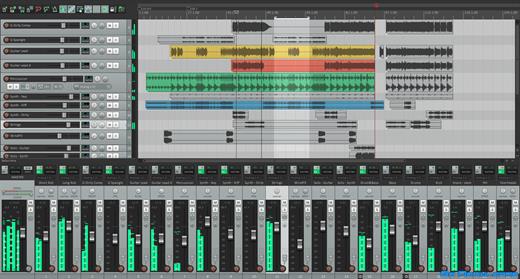
Disk Recovery Software and Hard Drive Recovery tool. Empowered by the new unique data recovery technologies, R-STUDIO is the most comprehensive data recovery solution for recovery files from NTFS, NTFS5, ReFS, FAT12/16/32, exFAT, HFS/HFS+ and APFS (Macintosh), XFS, Little and Big Endian variants of UFS1/UFS2 (FreeBSD/OpenBSD/NetBSD/Solaris) and Ext2/Ext3/Ext4 FS (Linux) partitions.

It also uses raw file recovery (scan for known file types) for heavily damaged or unknown file systems. It functions on local and network disks, even if such partitions are formatted, damaged or deleted. Flexible parameter settings give you absolute control over data recovery.

R-Studio utilities recover files:
Deleted without Recycle Bin, or when Recycle Bin has been emptied;
Removed by virus attack or power failure;
After the partition with the files was reformatted, even for different file system;
Recovering data if: VIRUS has invaded; FAT is damaged; MBR is destroyed; FDISK or other disk utilities have been run;
When the partition structure on a hard disk was changed or damaged;
Data recovery on damaged or deleted partitions;
From hard disk with bad sectors;
When necessary R-Studio can also wipe data on hard drives to prevent accidental data leaks when the drives are to be sold, given away, or disposed off in any other way.

Support for:
Basic(MBR), GPT, BSD(UNIX), APM(Apple partition map) partitions layout schemes;
Support for Bitlocker Drive Encryption, both for BitLocker Drive Encryption and BitLocker ToGo volumes;
Dynamic volumes, Windows Storage Spaces (Windows 2000-2022/8.1/10/11);
Apple software RAIDs, CoreStorage, File Vault, and Fusion Drive;
Linux Logical Volume Manager (LVM/LVM2) and mdadm RAIDs;
Intel Software RAIDs;
R-Studio can automatically recognize and assemble the components of these disk managers even if their databases are slightly damaged. Their components with severe corrupted databases can be added manually.
Support for VMDK/VHD/VHDX/VDI file formats. Read-only for all versions, creation for Technician/T80+ versions.
Read-only support for dmg files (Apple Disk Image: all versions ), E01/(EWF) files (Expert Witness File Format: R-Studio Technician/T80+), and AFF files (Advanced Forensic Format: R-Studio Technician/T80+).

Advanced data recovery algorithm:
to increase the quality of file recovery when the file system is not damaged;
to recover files that are not recognized in file system metadata and not found during a disk scanning procedure;
to fast search for lost partitions;
to recover files from devices with unknown file systems, including HD, CD, DVD, floppy disk, Compact-Flash Card, USB drive, ZIP drive, Memory Sticks and other removable media.

Support for specific file system features:
Recognitions of localized names;
NTFS encrypted files, NTFS alternative data streams, NTFS data deduplication, NTFS LogFile, NTFS Symbolic Links & Directory Junctions;
ReFS: symbolic links, directory junctions, deduplication;
HFS+ journal processing, HFS+ extended attributes, HFS+ compressed files;
Advanced APFS recovery: support for encryption;
Ext2/Ext3/Ext4 FS/UFS journal processing and extended attributes;
XFS extended attributes;
Recovery of names and paths for files deleted to Recycle Bin and Trash.

Release Name: R-Studio 9.5 Build 191645
Size: 139.9 MB
Links: HOMEPAGE – NFO – Torrent Search

Download: RAPiDGATOR
11 Comments
Nov 26

AI Voice Changer 5.5.2

Description: AI Voice Changer is a real-time voice-changing tool powered by artificial intelligence technology. It allows users to easily alter their voice style, timbre, and intonation to create a unique voice experience. Whether for gaming, live entertainment, voice chat, or content creation, AI Voice Changer delivers natural, smooth, intelligent, and precise voice-changing effects.

Key Features
- Dual Recording Mode
- Recording Mode: Record audio first, then apply effects and process it.
- Real-Time Mode: Real-time voice conversion with instant effects.
- Extensive Voice Effects Library
- Characters: Mickey, Donald Duck, Minions, Pikachu
- Age Effects: Lolita, Shota, and Elderly Voice Changers
- Fantasy: Ghost, Demon, and Angel Voiceovers
- Environments: Echo, Underwater, Phone, Broadcast, and Loudspeaker Voiceovers
- Music Styles: Opera, Jazz, Rock, Classical, and Electronic
- Effects: Whispering, Shouting, Drunk, Sleepy, and Excited
- Robot/AI: Robot, Cyborg, and AI Voiceovers
- Animals: Chipmunk, Bear, and Cat Voiceovers
- Sci-Fi: Aliens, Spaceships, and Holograms
- Emotions: Sadness, Happiness, Angry, and Fear
- Professionals: Narrators, Announcers, and Teachers

Suitable Scenarios
- Voice Changing for Online Gaming or Voice Chat.
- Creating Unique Voices for Live Streaming and Short Videos.
- Voice Dubbing and Avatar Voiceover Production.
- Voice Disguising for Privacy Protection.

The AI ​​Voice Changer combines deep learning and audio processing technology to give every voice a fresh, original sound. Whether for entertainment or creative expression, it empowers you to be more creative and expressive.

System Requirements
Windows 10 version 14316.0 or higher

Microsoft Store - Full Version


Release Name: AI Voice Changer 5.5.2
Size: 113.9 MB
Links: HOMEPAGE – NFO – Torrent Search

Download: RAPiDGATOR

10 Comments
Nov 26

Ashampoo PDF Pro 5.0

Description: Ashampoo PDF Pro 5 is the complete solution to manage and edit your PDF documents. The program has everything you need to create, convert, edit, merge and protect your PDFs.

64-bit support for maximum performance, even with large documents
Flexible view options with tabs, separate windows, or shared workspace
Edit PDFs protected with a master password
Book layout for realistic double-page viewing
Page-by-page scrolling for precise navigation
Automatic document comparison via drag and drop
Auto-applies most recently used font and size
Open new files as tabs

More power for large documents
Faster launch, smoother handling, secure saves
With full 64-bit support, Ashampoo PDF Pro 5 can access all available system memory to handle even the largest PDF files with ease. Now, you can work fluidly without delays or stutters, even with complex or data-heavy documents. Whether it’s technical manuals, research papers, or full catalogs–Ashampoo PDF Pro 5 handles them all with impressive speed and stability.

Open PDFs your way
Edit documents the way you like to work
You decide how Ashampoo PDF Pro 5 opens your files. Through the options menu, you can decide if new PDFs should open in tabs, separate windows, or within the same workspace. This ensures everything remains organized and optimized according to your workflow preferences. Whether you favor focused, single-document editing or juggling multiple projects simultaneously, Ashampoo PDF Pro 5 seamlessly adapts to your style.

Security without limits
Easily edit password-protected documents
Password-protected files are no longer an obstacle with Ashampoo PDF Pro 5. Enjoy complete flexibility when working with sensitive content, without sacrificing security or control. Maintain full authority over your documents at all times, swiftly and confidently.

Convenience in every detail
Work smarter and save clicks with intelligent features
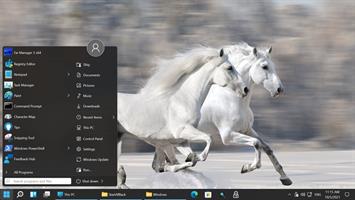
Ashampoo PDF Pro 5 anticipates your needs and delivers noticeable convenience in daily use. When you open a PDF from Windows Explorer, it now appears as a new tab within your existing window. The new Book Layout view displays two pages side by side, just like a real book, and Page-by-Page Scrolling lets you move precisely one page per mouse wheel turn. Drag and drop two PDF files into the program to start an instant document comparison and see differences at a glance. When adding text, Ashampoo PDF Pro 5 remembers your last used font and size, ensuring a consistent look without manual adjustment.

Don't copy, convert!
Post-edit your documents in MS Word or other formats
Ashampoo PDF converts your PDFs into text documents editable with MS Office or Ashampoo Office. HTML, EPUB, JPG or RTF are also supported as output formats. Ashampoo PDF Pro furthermore supports optical character recognition to convert your scans into editable and searchable documents.

PDF creation made easy
Built-in PDF printer driver for maximum flexibility
Ashampoo PDF can create high-quality PDFs from any Windows application. Simply click "Print" and select the included Ashampoo PDF virtual printer. If size matters, Ashampoo PDF can automatically downsample images, e.g. to facilitate online publishing.

Create trustworthy PDFs with digital signatures
Sign your documents for authenticity and added trust!
Digital signatures are the equivalent of an ink signature on a paper document, but much more secure. They signal authenticity and prevent secret tampering. Ashampoo PDF Pro makes signing your documents super easy and helps you build trust with your recipients.


Release Name: Ashampoo PDF Pro 5.0
Size: 926.2 MB
Links: HOMEPAGE – NFO – Torrent Search

Download: RAPiDGATOR
7 Comments
Nov 26

Luminar Neo 1.25.1.15981

Description: AI-driven creative image editor. A creative image editor to bring your ideas to life. Have you ever wanted to achieve more with your images? Luminar Neo is an innovative image editor powered by AI technologies of the future that simplifies complex editing routines and enables creators to bring their boldest ideas to life.

Control the light in 3D space with RelightAI
Relight backlit photos or darkened images in a click with the RelightAI feature. Luminar Neo calculates the depth of a photo and creates a 3D map, making it possible to spread light naturally in 3D space across a 2D image. You can also relight the background and foreground separately — meaning you can darken parts of the image as well. This opens up an opportunity for creative relighting in order to bring your artistic vision to life.

Remove messy powerlines with AI
Automatically remove distracting elements in your cityscapes, urban landscapes or travel photos. Get a clear sky with no cluttered phone or power lines.

Unleash your creativity with Layers and AI Masking
Use both MaskAI and Layers for limitless creativity. MaskAI automates the masking process by identifying objects in the image and creating precise masks. You can always manually refine those masks with a brush if you choose to. Layers open up a whole new level of creative expression, with endless possibilities for adding objects, textures, watermarks, and any other graphics to your images.

Replace the sky in one click
Cutting-edge sky replacement technology with water reflections, sky positioning, and human-aware relighting to match the new sky.

Lightning-fast creative editing with an all-new image engine.
Designed as a module system its parts now can be optimized separately, for the best performance.

What is Luminar Neo?
Have you ever wanted to achieve more with your images? Luminar Neo is an innovative image editor powered by AI technologies of the future that simplifies complex editing routines and enables creators to bring their boldest ideas to life. And enjoy it.

- Get speed and flexibility in your editing with our brand-new core engine and layers workflow.
- The new engine we built for Luminar Neo is based on all the best solutions from our combined and evolved experience for maximum performance and creativity and is developed for achieving complex creative results.
- Adjust the light in your photo for creative control over the lighting in a scene. You can control the exposure of an image based on the distance from the lens to independently adjust the background and foreground exposure.
- Automatically remove spots on your images caused by dust and dirt on your lens and sensor.
- Clean up unwanted power lines from the skies in your cityscapes.
- Experiment with infinite creative possibilities by effortlessly combining two or more images in a shot.

...And much more.
The new technologies and innovative user experience in Luminar Neo make creative image editing simple and fun.

What’s New in Luminar Neo?
Luminar Neo is a giant leap forward to more innovative, AI-based editing that targets the pains of photographers. Its goal is high-quality, fast, easy, and enjoyable results for anyone who wants to edit their images and channel their creativity in new ways.

The collection of AI-powered tools take a significant jump forward in function and performance with Luminar Neo. The application expands its toolbox with more groundbreaking AI-powered tools. The new tools are joined by additional options to solve even more problems and unleash creativity.

Speed up your editing workflow with our new fast core engine.
It’s based on unique technologies developed by Skylum and works on a module system, which means that different parts of the application can now be optimized separately for the best results. Thanks to the independent modules engine, Luminar Neo will be updated more frequently. Luminar Neo has a more flexible editing process, which means less memory is required to edit photos. The new engine has many small background optimizations of memory use, which increases the speed of all processes inside the application, from uploading to applying editing effects, using layers, and exporting.

Completely transform your photos with new relighting options.
Luminar Neo analyzes each image to recognize the depth of a scene and its subject allowing for unique control over exposure and tone.

Easily remove distracting image blemishes caused by a dirty camera sensor or lens.
There are also new tools to clean up unwanted elements in the background of a photo.

Explore creativity with an effortless layers workflow.
Discover a collection of textures, overlays, and visual effects to add creativity to an image and personalize it. This addition unlocks new creative options for compositing images and visuals to create a custom style. You can add an infinite number of Layers, move Layers on top of each other, use blending modes and masking modes, make collages, add double exposure effects, and do more on each layer.

Release Name: Luminar Neo 1.25.1.15981
Size: 3.6 GB
Links: HOMEPAGE – NFO – Torrent Search

Download: RAPiDGATOR

6 Comments
Nov 26

Directory Opus 13.19.7 Beta

Description: Are you frustrated by the limitations of Windows Explorer? Directory Opus is a complete replacement for Explorer, with far more functionality than any other file manager available today.

You're in control.
Not just a simple file manager; Directory Opus lets you make your computer yours.
With a flexible user interface and unbelievable configurability, you can tailor Opus to streamline your workflow.
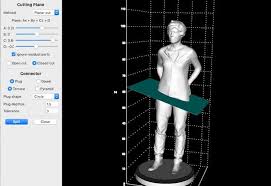
Dual panes, dual trees, multiple tabs.
Filter, sort, group your folders. Label and rate your files.
Queued file copies. Powerful batch renaming. Full archive support.
Find your files. Locate duplicates. Synchronize backups.
Assign tags and descriptions. Convert images. Edit metadata.
Fully multi-threaded, native 64 bit high performance code.
Whatever you want to do - Opus can probably do it. And if it's not built-in, you can take advantage of the unrivalled configurability to extend Opus using external tools.

What makes Opus unique?

Built for speed
Opus is written in native C++ multi-threaded code; compiled for the latest 64 bit CPUs, with high performance our number one design principle.

Fully configurable
Change the colors. Change the fonts. Change the toolbars and menus. Set up hotkeys. Opus adapts to how you want to use it.

Makes file management a breeze
Powerful searching, sorting, grouping, labelling and tagging features let you take control of your files like never before.

Endlessly extensible
Work with third-party tools as easily as with the built-in features. A full scripting interface, including scriptable dialogs, means your imagination is really the only limit.

Replace Windows Explorer and don't look back
Our unique Explorer Replacement mode provides a full replacement for Windows Explorer.
Single or dual pane file display and folder trees
Tabbed interface let you keep multiple folders open and switch quickly between them
Integrated viewer, metadata editor and utility panel
Built-in tools including synchronize and duplicate file finder
Leverage indexed search engines like Windows Search and Everything

High performance file management features
Copy, move, rename, duplicate, archive, view, backup and delete your files with ease
Queue multiple file copies for improved performance
Batch renaming including easy-to-use keyboard macros
Support for FTP and archive formats like Zip, 7Zip and RAR
Quickly filter, sort, group and search your folders
Color-code your files, assign status icons, star ratings, tags and descriptions
View images, documents and more. Image marking lets you sort your photos quickly and easily
Calculate folder sizes and print or export folder listings

Unrivalled configurability
Why let the programmers decide for you? You can tailor Opus to look how you want it to look, and to work how you want it to work.
Choose from light mode, dark mode, or design your own theme
Over 600 configurable colors and fonts
All toolbars and menus can be edited, plus you can add your own
Floating toolbars can act as program launchers
Configure your own hotkeys that work everywhere or just in Opus
Full scripting interface lets you design your own dialogs and add your own commands

Release Name: Directory Opus 13.19.7 Beta
Size: 29.1 MB
Links: HOMEPAGE – NFO – Torrent Search

Download: RAPiDGATOR
10 Comments
Nov 26

Radiant Photo 2.2.0.814

Your photos deserve to be radiant. Get superior quality finished photos with perfect color rendition, delivered to you in record time. Your photos — simply RADIANT. The way they are meant to be.

Amazing images. No sweat.
Getting great results with Radiant Photo couldn’t be easier!

The Radiant Photo image pipeline — Enhancement Tools

- Graduated Filter
A linear or a radial gradient can apply adjustments to only part of your image.

- Portrait Tools
Enhance the beauty of your subject with natural edits that enhance eyes, skin, and much more.

- Color Grading
LOOKs offer intelligent style recipes for your photos. Quickly editable for a personal style.

- Finishing Tools
Fine-tuning adjustments that can be applied last in the image pipeline.

The Radiant Photo image pipeline — Quick Edit

- Scene Detection
AI recognizes the content of the photo, as well as analyzes each pixel and chooses the ideal starting point.

- Smart Presets
A starting edit is applied to the photo from our collection, or use your own AI presets. Smart tools automatically adapt to every photo.

- Quick Edit Controls
Refine the edit quickly with seven essential controls – for most, the image is ready to print or share.

The Radiant Photo image pipeline — Detailed Edit

- Radiant Tone
Enhance the dynamic range of the scene without clipping. Get perfect exposure every time.

- Radiant Color
Photo color correction that matches how the human eye sees color — true to life.

- Radiant Details
Enhance sharpness, reveal lost details, and eliminate noise with smart tools. The Radiant Photo image pipeline — Enhancement Tools

System requirements
Hardware: Windows-based hardware PC with mouse or similar input device
Processor: CPU Intel® Core™ i5 or better
OS version: Windows® 10 or Windows® 11 (64-bit editions)
RAM: 8 GB RAM or more (minimum) / 16+ GB RAM (recommended)
Disk space: 1 GB free space; SSD for best performance
Display: 1280 x 800 display (minimum) / 1920 x 1080 display (recommend)
Plugin hosts: Photoshop CS6 or Photoshop Creative Cloud, Lightroom 6 or Lightroom Classic, Corel PaintShop Pro X6, X7, X8, or X9 V22

Release Name: Radiant Photo 2.2.0.814
Size: 468.6 MB
Links: HOMEPAGE – NFO – Torrent Search

Download: RAPiDGATOR

8 Comments
Nov 26

3DCoat 2025.14

Description: 3DCoat is an application in 70 languages that has all the tools you need to take your 3D idea from a block of digital clay all the way to a production-ready, fully textured organic or hard surface model. It combines different technologies: voxels and polygons - for 3D model creation. Today 3DCoat is available to learn at 300+ Universities, Colleges, and Schools worldwide.

About 3DCoat
3DCoat is the application that has all the tools you need to take your 3D idea from a block of digital clay all the way to a production ready, fully textured organic or hard surface model.

DIGITAL SCULPTING
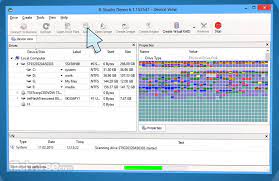
Voxel sculpting with no topological constraints
Complex boolean operations with crisp edges
Dozens of fast and fluid sculpting brushes
Adaptive dynamic tesselation

EASY TEXTURING & PBR
Microvertex, Per-pixel or Ptex painting approaches
Realtime Physically Based Rendering viewport with HDRL
Smart Materials with easy set-up options
Texture size up to 16k

Release Name: 3DCoat 2025.14
Size: 957.4 MB
Links: HOMEPAGE – NFO – Torrent Search

Download: RAPiDGATOR
11 Comments