Please REGISTER or RENEW your account on RAPiDGATOR.net and support us by doing through all RAPiDGATOR working download links on main posts...
Nov 25

QLab Pro 5.5.7

QLab is a streamlined and intuitive Mac OS X application that provides the required tools and features to create complex designs that can bring your audio and video content to life.

Versatile and user-oriented show control

QLab’s user-oriented interface helps you design and handle your multimedia content from within a smooth-running and personalizeable workspace that allows you to manage audio, video, MIDI, OCS and more.

QLab comes with numerous building blocks, also known as “cues”, that can help you design your stunning multimedia performance with just a few mouse clicks. Once you dragged and dropped your files you can start adding commands to fade in and fade out the volume, animate videoclips and apply various video and audio effects.

User-definable scripts and numerous video and audio effects

After getting familiar with the basics, you can step up your game and become a power user by using complex features like scripting, multi-projector edge blending, video corner pinning and audio localization. What is more, you can build multi-computer designs and send commands to multiple QLab systems connected to the same local network.

When you are happy with your Cue List, you can give it a try and hit the “Go” button to preview your show. Thanks to the Warnings panel you can check your list and view all encountered issues.

Support for Blackmagic device input, as well as various types of video surfaces and a host of other similarly powerful tools

QLab comes with support for 48 output and 24 input audio channels, intuitive audio waveform editing, customizable playback rate with pitch adjustment, video and audio faders, animation tools, Matrix mixer, audio and video effects, Syphon integration, keystone correction and corner pinning.

You can also overlay titles, use live video input from various devices, including Blackmagic devices, handle multiple video surfaces, apply fade curves, slice files, use markers and use external video effects.

What’s New

Version 5.5.7:


  • Release notes were unavailable when this listing was updated.
Compatibility

macOS 11.0 or later


Release Name: QLab Pro 5.5.7
Size: 33.7 MB
Links: HOMEPAGE – NFO – Torrent Search

Download: RAPiDGATOR

7 Comments
Nov 25

Mellel 6.5.5

Mellel is the leading word processor for OS X and has been widely considered the industry standard for long form documents since its inception. Mellel focuses on writers and scholars for technical writing and multilingual word processing. It offers special tools to help you write and organize long documents easily. If you need multilingual support or are writing bi-directional text, Mellel is just the thing for you: Arabic, Persian, Hebrew, and Syriac never looked better on a Mac. Even if you don’t need all the bells and whistles, Mellel is still the right choice for you: clean, stable, and easy to use.

What’s New

Version 6.5.5:


  • Release notes were unavailable when this listing was updated.
Compatibility

macOS 10.10 or later


Release Name: Mellel 6.5.5
Size: 109.9 MB
Links: HOMEPAGE – NFO – Torrent Search

Download: RAPiDGATOR
8 Comments
Nov 25

WiFi Explorer Pro 3.9.1

WiFi Explorer Pro takes the code base of WiFi Explorer, and adds a set of features that makes it the right tool for WLAN and IT professionals. You can use WiFi Explorer Pro for preliminary assessments, to help design and validate wireless networks installations, as well as to identify channel conflicts, overlapping, poor signal quality and other issues that may be affecting the connectivity or performance of your home, office or enterprise wireless network.

Features:


  • Passive and directed scan modes
  • Spectrum analysis integration
  • Custom filters
  • Support for remote sensors
  • Support for networks with hidden SSIDs
  • Additional columns with advanced information
  • Additional organization options for scan results
  • Dark and light themes
What’s New

Version 3.9.1:


  • Release notes were unavailable when this listing was updated.
Compatibility

macOS 10.13.0 or later


Release Name: WiFi Explorer Pro 3.9.1
Size: 15.7 MB
Links: HOMEPAGE – NFO – Torrent Search

Download: RAPiDGATOR
7 Comments
Nov 25

Camtasia 2026.0.2

Camtasia for remarkable screencasts made easy. Create eye-catching training, presentation, and demo videos…the easy way. Camtasia screen-recording software is streamlined, intuitive, and makes you look like a pro.

Easily record onscreen activity, Keynote slides, camera video, microphone, or system audio – all with sparkling clarity. Record in front of a live audience or at your desk. Edit to perfection. Turn it into a stunning, HD-quality video at the perfect size to share on popular video sites, Apple devices, your website, blog, or anywhere you like. Make them wonder how you did it.

What’s New

Version 2026.0.2:


  • Release notes were unavailable when this listing was updated.
Compatibility

macOS 13.0 or later
Apple Silicon or Intel Core processor


Release Name: Camtasia 2026.0.2
Size: 421.2 MB
Links: HOMEPAGE – NFO – Torrent Search

Download: RAPiDGATOR
10 Comments
Nov 25

Efficient Elements for presentations 4.4.5800.1

Description: Efficient Elements for presentations – The Add-in for Microsoft PowerPoint. Create professional presentations in your company’s corporate design. Automatic Agenda Slides. Comprehensive Slide Library. One-Click Formatting and Alignment. Powerful Corporate Design Check. Interactive Harvey Balls, Traffic Lights, … Maps of All Countries in the World – Editable in Excel.

Interactive Feature Map
- Click on any of the buttons on the left to learn about the respective feature.
- Or simply scroll down to learn about all features – one by one.

Agenda Wizard
The Agenda Wizard helps you structure your presentations by adding agenda slides between topics
- Calculate time slots or page numbers automatically
- Create multiple agendas for a single presentation, e.g. for multi-day-meetings
- Save space in long agendas by collapsing sub-items
- Easily re-organize your agenda – content slides will be sorted for you automatically
- The Agenda Wizard is 100% customizable to fit your company’s specific agenda layout!

Element Wizard
The Element Wizard provides you with a well-organized set of useful slide elements in an easy-to-navigate gallery structure
- Pick from a selection of box layouts, process chains, Gantt charts, diagrams, maps, flags …
- Get a customized edition to include your company’s slide collection
- Use the My Elements feature to store your own elements for later use and share them with your colleagues

Master Wizard
Insert/remove elements in/from the slide master with a single click of a button, such as
- Confidentiality indications
- Status indications
- Logos or images

Text Wizard
Insert text snippets or special characters from the Text Wizard library
- Get a customized edition to include text snippets relavant for your company, e.g. addresses, mission statement, conventions for numbers/dates/abreviations…
- Use the My Texts feature to store your own text snippets for later use and share them with your colleagues

Format Wizard
Format and/or position selected objects based on a Format Wizard template
- Possible predefined formats range from a position or a font size to a combination of most of the format attributes available in PowerPoint
- Get a customized edition to include predefined formats according to your company’s style guide
- Use the My Formats feature to store your own forats for later use and share them with your colleagues

Map Wizard
Insert and edit maps of all countries in the world
- Insert high quality maps: World, UN regions, countries – with or without subdivisions
- Use Microsoft Excel to color or label any of the countries / states within the maps – including conditional formatting
- Embed or link your data source in Microsoft Excel

System Requirements
- Microsoft PowerPoint 2010 / 2013 / 2016 / 2019 / 2021 or Microsoft 365 (32- or 64-bit)
- Microsoft Windows 8 / 8.1 / 10 / 11 (32- or 64-bit)
- Microsoft .NET Framework 4.6 or newer
- Shared Network Drive / SharePoint 2013 or newer (on-premise) or SharePoint Online (optional, only required for EE Sync)

Supported Languages
English, French, German, Italian, Portuguese, Russian, Spanish, Simplified Chinese, Traditional Chinese

Release Name: Efficient Elements for presentations 4.4.5800.1
Size: 123.5 MB
Links: HOMEPAGE – NFO – Torrent Search

Download: RAPiDGATOR

10 Comments
Nov 25

Cash Register Pro 4.0.5

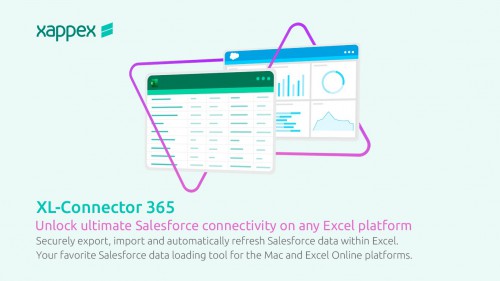
Description: Cash Register provides all of the functionalities that you need to keep track of your inventory and sell your products using your phones, tablets or computers as a cash register/inventory system. This desktop version runs on Microsoft Windows Vista or higher.

Features:
Cash Register: Calculate transaction totals just like a regular cash register machine.
Barcode scanner: Allow you to enter your product by using barcode scanner machine.
Custom Tax rates: Allow you to enter your state/country tax rate.
Product Inventory: You can keep track of what you are selling.
Reporting: Show sales report by day, month or year.
Charting: Show inventory and profit by month or year.
User friendly: Easy and simple user interface.
Reporting: Show sales report by day, month or year.
Charting: Show inventory and profit by month or year.
User friendly: Easy and simple user interface.

Release Name: Cash Register Pro 4.0.5
Size: 18.1 MB
Links: HOMEPAGE – NFO – Torrent Search

Download: RAPiDGATOR
5 Comments
Nov 25

Ashampoo PDF Pro 5.0

Description: Ashampoo PDF Pro 5 is the complete solution to manage and edit your PDF documents. The program has everything you need to create, convert, edit, merge and protect your PDFs.

64-bit support for maximum performance, even with large documents
Flexible view options with tabs, separate windows, or shared workspace
Edit PDFs protected with a master password
Book layout for realistic double-page viewing
Page-by-page scrolling for precise navigation
Automatic document comparison via drag and drop
Auto-applies most recently used font and size
Open new files as tabs

More power for large documents
Faster launch, smoother handling, secure saves
With full 64-bit support, Ashampoo PDF Pro 5 can access all available system memory to handle even the largest PDF files with ease. Now, you can work fluidly without delays or stutters, even with complex or data-heavy documents. Whether it’s technical manuals, research papers, or full catalogs–Ashampoo PDF Pro 5 handles them all with impressive speed and stability.

Open PDFs your way
Edit documents the way you like to work
You decide how Ashampoo PDF Pro 5 opens your files. Through the options menu, you can decide if new PDFs should open in tabs, separate windows, or within the same workspace. This ensures everything remains organized and optimized according to your workflow preferences. Whether you favor focused, single-document editing or juggling multiple projects simultaneously, Ashampoo PDF Pro 5 seamlessly adapts to your style.

Security without limits
Easily edit password-protected documents
Password-protected files are no longer an obstacle with Ashampoo PDF Pro 5. Enjoy complete flexibility when working with sensitive content, without sacrificing security or control. Maintain full authority over your documents at all times, swiftly and confidently.

Convenience in every detail
Work smarter and save clicks with intelligent features
Ashampoo PDF Pro 5 anticipates your needs and delivers noticeable convenience in daily use. When you open a PDF from Windows Explorer, it now appears as a new tab within your existing window. The new Book Layout view displays two pages side by side, just like a real book, and Page-by-Page Scrolling lets you move precisely one page per mouse wheel turn. Drag and drop two PDF files into the program to start an instant document comparison and see differences at a glance. When adding text, Ashampoo PDF Pro 5 remembers your last used font and size, ensuring a consistent look without manual adjustment.

Don't copy, convert!
Post-edit your documents in MS Word or other formats
Ashampoo PDF converts your PDFs into text documents editable with MS Office or Ashampoo Office. HTML, EPUB, JPG or RTF are also supported as output formats. Ashampoo PDF Pro furthermore supports optical character recognition to convert your scans into editable and searchable documents.

PDF creation made easy
Built-in PDF printer driver for maximum flexibility
Ashampoo PDF can create high-quality PDFs from any Windows application. Simply click "Print" and select the included Ashampoo PDF virtual printer. If size matters, Ashampoo PDF can automatically downsample images, e.g. to facilitate online publishing.

Create trustworthy PDFs with digital signatures
Sign your documents for authenticity and added trust!
Digital signatures are the equivalent of an ink signature on a paper document, but much more secure. They signal authenticity and prevent secret tampering. Ashampoo PDF Pro makes signing your documents super easy and helps you build trust with your recipients.

Release Name: Ashampoo PDF Pro 5.0
Size: 926.2 MB
Links: HOMEPAGE – NFO – Torrent Search

Download: RAPiDGATOR

9 Comments
Nov 25

Burp Suite Professional 2025.10.6

Description: Test like a pro. Hands-on security testers need the best tools for the job. Tools you have faith in, and enjoy using all day long. The tools that other professionals trust.

Find vulnerabilities others can't
Be at the forefront of web security testing with the only toolkit powered by cutting-edge PortSwigger Research.

Be more productive
Burp Suite Professional has all the tools required for modern pentesting. Utilize advanced features to eliminate noise.

Share your findings more easily
Simplify your documentation and remediation process, and produce reports that end users will appreciate.

Discovery: Map the complex attack surfaces of modern web apps
Use Burp Suite Professional to gather intelligence, comprehensively map your target application, and identify initial weaknesses.

Attack: Leverage best-in-class manual and automated tools to identity vulnerabilities
Balance powerful automation with granular control in Burp. Decide what you want to test manually, and what can be delegated to the scanner.

Reporting: Automatic logging provides centralized data source
Work with the knowledge that your actions are logged, allowing you to easily summarise your findings into succinct, but valuable reports.

Benefit from 10+ years' worth of extensibility
Leverage Burp Suite's thriving BApp store, with user-created extensions, adding custom functionality to the most complete tool on the market.

Create your own functionality
Build your own extensions and integrate with existing tooling so you have what you need, when you need it.

Customize the way you work
Burp Suite Professional is made to be customized. Utilize Bambdas and BChecks to work the way you want.

Release Name: Burp Suite Professional 2025.10.6
Size: 605.9 MB
Links: HOMEPAGE – NFO – Torrent Search

Download: RAPiDGATOR
11 Comments
Nov 24

Internet Download Manager 6.42 Build 55

Description: Internet Download Manager has a smart download logic accelerator that features intelligent dynamic file segmentation and safe multipart downloading technology to accelerate your downloads. Unlike other download accelerators and managers that segment files before downloading starts, Internet Download Manager segments downloaded files dynamically during download process.

Features
- All popular browsers and applications are supported!
Internet Download Manager has been tested with the following browsers: Internet Explorer, MSN Explorer, AOL, Netscape Communicator, Netscape 6, Netscape 7, Mozilla, Mozilla Firefox, Mozilla Firebird, Opera, NetCaptor, UltraBrowser, Slim Browser, Avant Browser, MyIE2, Optimal Desktop, Ace Explorer, Advanced Browser, 27 Tools-in-1 Wichio Browser, WindowSurfer, 550 Access Browser, FineBrowser Freeware, Kopassa Browser, Fast Browser Pro, Enigma Browser, GoSuRF, K-Meleon, Smart Explorer, The Off By One Web Browser, Smartalec Voyager, CrystalPort AppCapture, The Family Browser, XANA Web Browser, Bluto, AutoSurf, 32bit Web Browser, BrowseMan, WrestlingBrowser, Eminem Browser, UltraBrowser, Cygsoft LDAP Browser, and Net M@nager. Internet Download Manager supports all versions of popular browsers, and can be integrated into any 3rd party Internet applications.

- Easy downloading with one click.
When you click on a download link in a browser, IDM will take over the download and accelerate it. IDM supports HTTP, FTP, HTTPS and MMS protocols.

- Download Speed Acceleration.
Internet Download Manager can accelerate downloads by up to 5 times due to its intelligent dynamic file segmentation technology. Unlike other download managers and accelerators Internet Download Manager segments downloaded files dynamically during download process and reuses available connections without additional connect and login stages to achieve best acceleration performance.

- Download Resume.
Internet Download Manager will resume unfinished download from the place where they left off.

- YouTube grabber.
Internet Download Manager can grab FLV videos from popular sites like YouTube, MySpaceTV, and Google Video.

- Simple installation wizard.
Quick and easy installation program will make necessary settings for you, and check your connection at the end to ensure trouble free installation of Internet Download Manager

- Drag and Drop.
You may simply drag and drop links to IDM, and drag and drop downloaded files out of Internet Download Manager.

- Automatic Antivirus checking.
Antivirus checking makes your downloads free from viruses and trojans.

- Advanced Browser Integration.
When enabled, the feature can be used to catch any download from any application. None of download managers have this feature.

- Built-in Scheduler.
Internet Download Manager can connect to the Internet at a set time, download the files you want, disconnect, or shut down your computer when it's done.

- IDM includes web site spider and grabber.
IDM downloads all required files that are specified with filters from web sites, for example all pictures from a web site, or subsets of web sites, or complete web sites for offline browsing. It's possible to schedule multiple grabber projects to run them once at a specified time, stop them at a specified time, or run periodically to synchronize changes.

- IDM supports many types of proxy servers.
For example, IDM works with Microsoft ISA, and FTP proxy servers.

- IDM supports main authentication protocols
Basic, Negotiate, NTLM, and Keberos. Thus IDM can access many Internet and proxy servers using login name and password.

- Download All feature.
IDM can add all downloads linked to the current page. It's easy to download multiple files with this feature.

- Customizable Interface.
You may choose the order, and what buttons and columns appear on the main IDM window.

- Download Categories.
Internet Download Manager can be used to organize downloads automatically using defined download categories.

- Quick Update Feature.
Quick update may check for new versions of IDM and update IDM once per week.

- Download limits.
Progressive downloading with quotas feature. The feature is useful for connections that use some kind of fair access policy (or FAP) like Direcway, Direct PC, Hughes, etc.

- IDM is multilingual.
IDM is translated to Albanian, Arabic, Azerbaijan, Bosnian, Bulgarian, Chinese, Croatian, Czech, Danish, Dutch, Farsi, French, German, Greek, Hebrew, Hungarian, Italian, Japanese, Korean, Lithuanian, Macedonian, Norwegian, Polish, Portuguese, Romanian, Russian, Serbian, Slovak, Slovenian, Spanish, Thai, Turkish, and Uzbek languages.

Release Name: Internet Download Manager 6.42 Build 55
Size: 23.6 MB
Links: HOMEPAGE – NFO – Torrent Search

Download: RAPiDGATOR
11 Comments
Nov 23

Zipic 1.8.4

Zipic is a native macOS application designed for efficient, high-quality image compression. It lets users shrink image files locally, with no uploads or dependency on the cloud. All processing happens on your own device—so your privacy and speed stay intact.

Key Features and Highlights:


  • High Compression, Near-Lossless Quality: Zipic utilizes powerful compression algorithms to achieve a high compression ratio with minimal perceived quality loss, making the compressed image virtually indistinguishable from the original.
  • Fast & Local Processing: Being a native macOS application, all image processing occurs locally on your device. This ensures lightning-fast performance, efficient handling of massive batches, and high data privacy with no cloud uploads or network dependence.
  • Comprehensive Format Support: The tool supports a wide range of formats, including basic ones like JPEG, PNG, WebP, HEIC, and GIF, and Pro formats like AVIF, JXL, TIFF, and ICNS.
  • Effortless Workflow: It offers multiple simple compression methods, including drag-and-drop, folder monitoring, and Finder integration (right-click).
  • Custom Control: Users can create custom presets for different quality levels and scenarios, allowing for precise control over the compression outcome.
  • Pro Features for Automation: Advanced features include Clipboard auto-compress, Folder Watch for automated compression in specific directories, and integration options like Raycast Extension and Apple Shortcuts.
Zipic aims to be the seamless solution for developers, designers, bloggers, and photographers who need to optimize and compress images efficiently.

What’s New

Version 1.8.4:


  • Release notes were unavailable when this listing was updated.
Compatibility

macOS 13.0 or later


Release Name: Zipic 1.8.4
Size: 12.8 MB
Links: HOMEPAGE – NFO – Torrent Search

Download: RAPiDGATOR
9 Comments