Please REGISTER or RENEW your account on RAPiDGATOR.net and support us by doing through all RAPiDGATOR working download links on main posts...
Dec 12

Stoic 2025.44

MENTAL HEALTH TOOLS:

stoic provides you with the tools you need to feel better, reduce stress & anxiety, manage ADHD, be mindful and more.


  • Meditation – unguided or guided sessions to help you meditate with background sounds and timed chimes.
  • Breathing – science-backed exercises to help you relax, focus, feel calm, sleep better and more.
  • Stoic Shield – block distracting apps and reduce screen time.
  • Sleep Better – journal your dreams, nightmares, and overcome insomnia with lessons by Huberman and Sleep Foundation.
  • Quotes & Affirmations – read up on stoic philosophy and better your mood.
  • Therapy Notes – prepare for your therapy sessions, track your progress, and reflect on them.
  • Daily Prompts – thought-provoking prompts to help you journal better.
What’s New

Version 2025.44:


  • Release notes were unavailable when this listing was updated.
Compatibility

macOS 12.0 or later.


Release Name: Stoic 2025.44
Size: 121.2 MB
Links: HOMEPAGE – NFO – Torrent Search

Download: RAPiDGATOR

10 Comments
Dec 12

Librarian Pro 7.5.0

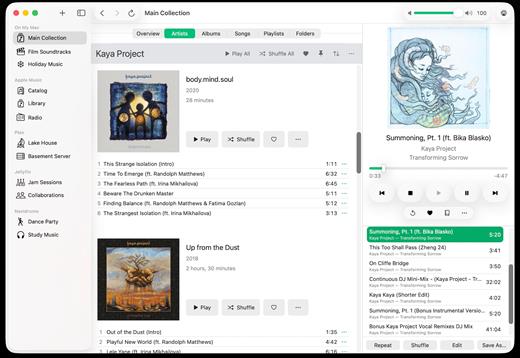
Librarian Pro helps you manage your collection of books, magazines, games, CDs, software titles, and movies. It helps you inventory and retrieve information quickly.

Organize items into smart collections, add them to the in-program Amazon shopping cart, mark them as lent out to friends, and even export for the Web or your iPod! Librarian Pro also supports importing from other cataloging applications like Delicious Library and DVDpedia.

Librarian Pro’s databases are fully compatible with both the Mac OS X and Windows versions. Additionally, one license will grant activation for both copies of the application. Download the free fifteen day trial and have serenity return to your media collections.

What’s New

Version 7.5.0:


  • Release notes were unavailable when this listing was updated.
Compatibility

macOS 10.14.0 or later


Release Name: Librarian Pro 7.5.0
Size: 71.3 MB
Links: HOMEPAGE – NFO – Torrent Search

Download: RAPiDGATOR

9 Comments
Dec 12

MacCleanse 14.1

MacCleanse is the product of thousands of hours of intense research and development. It meticulously scans all of the nooks and crannies of a computer for unnecessary junk that can take up huge amounts of disk space! Because of this, Apps in MacCleanse are also uninstalled correctly, catching the numerous logs, caches, plugins, and other resources left behind versus simply dragging them to the Trash. Your privacy is protected and computer performance enhanced by MacCleanse as it wipes your web and app histories, and can toggle resource-hungry extensions!

What’s New

Version 14.1:


  • Release notes were unavailable when this listing was updated.
Compatibility

macOS 10.15 or later, 64-bit processor


Release Name: MacCleanse 14.1
Size: 102.1 MB
Links: HOMEPAGE – NFO – Torrent Search

Download: RAPiDGATOR

8 Comments
Dec 10

GRAPHISOFT ArchiCAD 29.0.2 Build 3200

Description: Design, visualize, document, and deliver projects of all sizes with Archicad’s powerful set of built-in tools and easy-to-use interface that make it the most efficient and intuitive BIM software on the market. With Archicad, you can focus on what you do best: design great buildings.

Collaborate
Work with your team and other disciplines around the corner or around the world on projects of any size and complexity. Open standards and workflows mean collaboration is guaranteed — regardless of what software team members are using.

Design
Unleash your creativity with the leading BIM software developed by architects like you. With algorithmic design tools and large model support, you can do what you do best: design great architecture.

Visualize
Archicad’s professional architectural visualization tools translate your conceptual designs into compelling imagery of future buildings. Bring your models to life, inspire the audience, and invite stakeholders to engage with your designs.

Document
Complete, out-of-the-box documentation tools combined with a powerful publishing workflow that complies with local BIM requirements means you can focus on your designs, not the paperwork.

1. Simply start modeling
In Archicad, your intuition comes first. Just start working and let your ideas flow. It’s easy thanks to features like the wall tool and the large, integrated libraries with predefined objects such as windows, doors, and furnishings. Define component properties at any time, and to a high level of detail.

2. Designs are just a click away
Archicad saves you valuable time. You only need to create a 3D model once – and simply press a button to generate the associated floor plans, sections, and elevations. Every change you make to your building model is automatically transferred to all plans. This happens in the background, in a matter of seconds. Archicad intelligently taps into unused processor resources ensuring a smooth, uninterrupted workflow.

3. Always up-to-date material list
Archicad automatically creates lists of all model elements such as walls, windows, doors, railings, beams, or façade elements. View the current component schedules at any time and adjust the list directly.

4. Easy data exchange
Export and share model data with colleagues thanks to the integrated publisher — with just one click. Archicad supports more than 40 export formats and, with its IFC interface, facilitates open collaboration and integrated workflows with engineers.

5. Work in a team
Edit your project on multiple workstations, even simultaneously and from multiple locations. The Teamwork function in BIMcloud helps you stay in sync with all members of the project.

6. Compelling visualizations
Bring your project to life for your clients – with an impressive presentation via desktop, notebook, tablet, or even smartphone. Simply export a BIMx file. With the BIMx mobile app, you always have your designs at hand and can present them in 2D, 3D, and via a virtual walk-through.

7. Archicad Keeps Getting Better
One of Archicad’s strenghts is that it is constantly evolving. Our regular updates gives you access to significant productivity and efficiency improvements – especially when working in a team or together with external partners.

Release Name: GRAPHISOFT ArchiCAD 29.0.2 Build 3200
Size: 4.8 GB
Links: HOMEPAGE – NFO – Torrent Search

Download: RAPiDGATOR

8 Comments
Dec 10

MassTube 2026 v21.3.0.182 Ultra

Description: MassTube is a simple, but powerful application to quicky download videos from YouTube.

Key features:
- download VEVO and others.
- download in Ultra HD 4K 2160p, Full HD 1080p, HD 720p and in other popular video resolutions.
- download in MP3, FLAC, OGG and in other popular audio formats.
- compatible with Windows 11, 10, 8.1, 8 and 7.
- much more! :)

Release Name: MassTube 2026 v21.3.0.182 Ultra
Size: 84.8 MB
Links: HOMEPAGE – NFO – Torrent Search

Download: RAPiDGATOR

10 Comments
Dec 10

FabulaTech USB for Remote Desktop 6.3.6.1

Description: USB for Remote Desktop. Access local USB devices in remote Windows session. When you work in a remote desktop environment, getting access to your locally plugged USB devices can be quite problematic. In some cases you still can use some workarounds like plugging the USB device into the remote machine directly but in the most cases it’s not a solution.

FabulaTech solution
USB for Remote Desktop is a software allowing redirection of locally plugged USB devices to your remote desktop session. It appears like the USB device is plugged directly to the remote side.
The program consists of Server and Workstation parts. The Workstation part is installed on the local computer or thin client where USB devices are physically plugged. The Server part is installed on the remote side you are connecting to. It makes redirected USB devices available for remotely logged users.
The program supports a wide range of USB hardware and does not require any special configuration.

Cross-platform support
USB for Remote Desktop supports Windows and Linux remote desktops. It does not matter what protocol is used for accessing the remote side — Microsoft RDP, Citrix ICA, Amazon WSP, NICE DCV, VMware Blast, or Teradici PCoIP. It does not matter what environment is used — Microsoft Azure, Windows 365, Remote Desktop Services, Citrix Virtual Apps and Desktops, VMware Horizon, Amazon Workspaces, etc.
Any compatible Windows and Linux Client software can be used for accessing the remote Windows and Linux side. And there is no need to change firewall settings.
And good news for macOS users! You can redirect USB devices from your Mac to the remote desktop sessions thanks to compatibility between USB over Network for macOS and USB for Remote Desktop. Basically, the macOS version of USB over Network acts as a Workstation part of USB for Remote Desktop.

Driver-free solution
USB for Remote Desktop does not require USB device drivers on the local machine or thin client. So, any new USB device can be redirected to the remote desktop session without installing USB device drivers.

Works with any USB devices
The program is not limited to some specific models of USB devices. It is compatible with any of them. So, it is really universal solution for USB device redirection. Even the most exotic USB devices can be redirected to your remote desktop environment.

Auto-redirecting of hot-plugged USB devices
Using the Administrative Utility, USB for Remote Desktop can be configured to redirect any newly plugged USB device immediately and automatically. You don't have even to divert your attention away from the working process. The program will redirect the USB devices automatically every time you plug them in.

USB port redirection
In some cases it is really convenient to use some dedicated USB port for redirection. In such case any USB device being plugged to that port will be redirected to remote side. All other devices will be for local use only.

All your data is secure
USB for Remote Desktop transfers the data directly only between Workstation and Server program parts, that are installed on your computers. It doesn't connect to FabulaTech or any third-party servers. The only exception is optional checking for new versions, therefore it is fully functional even without Internet access.
Connection between Workstation and Server is established using virtual channels as a part of remote desktop protocols. So the security level of the solution is the same as you have already set for ordinary remote desktop connection.

Release Name: FabulaTech USB for Remote Desktop 6.3.6.1
Size: 63.6 MB
Links: HOMEPAGE – NFO – Torrent Search

Download: RAPiDGATOR
10 Comments
Dec 10

AITextTune 1.4.9

Description: Improve your text with AI in just one click! Correct any errors, improve clarity and flow… change the style! Generate summaries and translate texts in 25+ different languages! Revolutionize your writing in an instant! Revolutionize your writing in an instant!

PERFECT WRITING
Improve the clarity and flow of your texts! Generate summaries and translations!

CUSTOMIZE THE STYLE
Adapt the text to different writing styles, from formal to creative!

POWERFUL AI
Process your text in real-time with just one click!

WORKS EVERYWHERE
Use it on any software or tool!

SIMPLE!
1. Select the text
2. Click "CTRL+C+INS"
3. Choose a style / Summarize / Translate

FEATURES
- Correct any errors, improve clarity and flow
- Choose a style and leverage AI to enhance it instantly, in real-time!
- Generate summaries and translations in 25+ different languages!
- Use it on any tool or software you're writing on!
- Enhance text using the Google Gemini AI...

System Requirements
Windows 10 version 19041.0 or higher

Release Name: AITextTune 1.4.9
Size: 76.7 MB
Links: HOMEPAGE – NFO – Torrent Search

Download: RAPiDGATOR

9 Comments
Dec 10

Abelssoft Screenphoto 2026 v11.0.68089

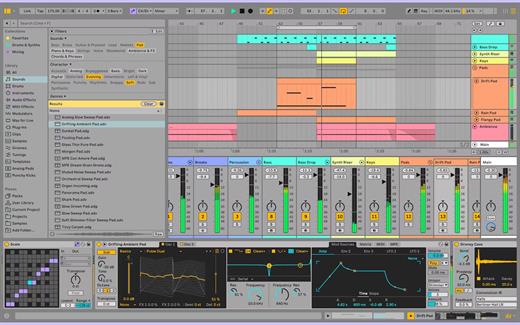
Description: Creates high-quality screenshots simply with a mouse click. Create great screenshots: One area or multiple screens. Wide range of editing options and functions. Show the screenshots to others at the touch of a button. New design for easier use. Exports screenshots as JPG, PNG or PDF.

1-click screenshot
Screenshots can be created either by clicking or by pressing the PRINT key on your keyboard.

Any size and format
Whether you only want to capture a single picture, an entire monitor, or even multiple monitors, Screenphoto handles the task with ease.

Perfect integration
The smart program integrates itself into the window bar. It couldn't be simpler.

Image editing made easy
Schirmfoto has several editing options such as a marking or blackening function.

Facebook and Twitter
Screenphoto allows you to upload your screenshots to facebook and X if you wish.

Instant sharing with friends
Screenphoto puts pictures online at the touch of a button and allows you to share your screenshots with friends.

Fit for printing
Of course you can also print your screenshots and you can copy them to your clipboard for easy reuse.

Release Name: Abelssoft Screenphoto 2026 v11.0.68089
Size: 13.6 MB
Links: HOMEPAGE – NFO – Torrent Search

Download: RAPiDGATOR
13 Comments
Dec 10

EndNote 2025.2 Build 19737

Description: EndNote 2025 is here - Unleash your research superpowers! The best reference management tool is getting even better. The all new EndNote 2025 and EndNote Web help you manage and format citations like never before with bold new features.

With EndNote 2025 you stay organized using features like tags that enhance productivity. You can enjoy peace of mind with data restoration functions that protect your work and improve your writing workflow with integrated document creation tools for Google Docs.

EndNote: Your essential reference manager
Streamline the research and writing process with the leading reference management solution.

EndNote is a powerful reference management tool that helps you save time, stay organized, and collaborate effectively as you write and publish research papers. Trusted by thousands of academic and industry researchers worldwide, EndNote helps protect the integrity of your research with built-in tools that support quality and accuracy while providing more dedicated support than any other reference management tool available.

Unmatched efficiency and value
Save time and stay productive throughout all stages of the research and writing process with no hidden costs.

Save time
Search hundreds of online resources for references and find full text in one click. Cite While You Write™ while simultaneously creating a bibliography and get direct connections to more databases.

Stay organized
Store and manage an unlimited set of references, centralize all references in one place, organize with tags, and create rules to auto-organize as you write.

Easily collaborate
Share some or all of your library with up to 1,000 people and set permissions for access and editing.

Get published
Quickly identify the best-fit journals for your manuscript with Manuscript Matcher.

Reliable standards
Write papers with confidence using built-in tools that support quality and accuracy.

Accurate citations
Easily adhere to academic and industry citation standards with up-to-date journal and referencing styles and receive retraction alerts as you write to prevent you from unknowingly damaging your argument.

Trusted sources
Leverage trusted and verified data from Web of ScienceTM to populate and update your EndNote libraries.

Robust support and data protection
Rely on a trusted reference management solution backed by 24/7 support and a data restoration function.

User-centric approach
EndNote meets the needs of researchers. Our long product history ensures users enjoy a reliable, regularly updated product backed by dedicated resources.

System Requirements
- Windows 10, 11
- 1 gigahertz (GHz) or faster x86-bit or x64-bit processor
- 600 MB hard disk space available
- Minimum 2 GB of available RAM

Word processor software
- Microsoft Word[CWYW] for Windows: 2010, 2013, 2016, 2019, 2021, Office 365 (locally installed desktop version only)
- Apache OpenOffice[CWYW] for Windows: 3.x, 4.x
- LibreOffice[CWYW] for Windows: 4.x, 5.x, 6.x, 7.x (32-bit)
- Partner CWYW Integration: Wolfram Mathematica 8
- Partner CWYW Integration: WPS

* An Internet connection is required to search online databases, find full text and automatically update references.

Release Name: EndNote 2025.2 Build 19737
Size: 135.6 MB
Links: HOMEPAGE – NFO – Torrent Search

Download: RAPiDGATOR

12 Comments
Dec 10

Adobe Bridge 2026 v16.0.1

Description: Bridge gives you centralized access to all the files and assets you need for your creative projects. Organize personal and team assets, batch edit with ease, add watermarks, set centralized color preferences, and even upload your photos to Adobe Stock. Bridge simplifies your workflow and keeps you organized and now with CC Libraries.

Features
- Bulk import, export and preview CC Libraries assets
- Edit photo capture time
- Export/ Import network cache
- Native PDF Output Module
- Easy upload of images to Adobe Stock so you can get royalties for your work
- Support for Retina and HiDPI displays with the ability to scale
- Automated cache management
- Publishing to Adobe Portfolio to build your personalized website
- Quick organization and stacking of panoramic and HDR images
- On-demand thumbnail and metadata generation
- Option to import photos and videos from your mobile device or digital camera on macOS
- Support for CEP HTML5
- Flexible batch processing
- Drag-and-drop file flexibility
- Centralized color settings

Consistent user experience
Adobe Bridge now has an enhanced user interface to provide you a similar experience like other Creative Cloud applications. You can also change the default user interface appearance, text size, and scaling by setting the User Interface preferences in the Edit > Preferences > Interface dialog.

Enhanced Creative Cloud Libraries
The Libraries workspace in Bridge now displays a high-quality preview of library items. You can select multiple items to see their previews together.

Centralized cache management
You can now share a cache with other Bridge users and let them use the shared cache instead of creating a cache. Any Adobe Bridge user can export a cache to a shared folder, and other users can import a copy of the shared cache to their local systems. Given that the systems are in synchronization, managing the cache at a centralized location lets you reuse the exported cache, without the need to rebuild the cache on different user machines. You can create and manage the shared cache by using the Manage Cache dialog (Tools > Manage Cache), which has now been enhanced to provide options for building, importing, and purging cache. In addition, the cache preferences have been enhanced (Edit > Preferences > Cache and Edit > Preferences > Cache Management).

Edit capture time
Adobe Bridge now lets you change the capture time of the JPEG and RAW image files, just like the way it is done in Adobe Lightroom. This feature is helpful if you travel to a different time zone and do not change the date or time setting of your camera before you start photographing. With this feature, you can edit the capture time after capturing the image.

Support for XD file formats
Bridge now supports preview, thumbnail generation, metadata tagging, and keyword generation for Adobe XD files.

Media cache preferences
Bridge now processes and maintains a cache of all audio and video playback files. This capability improves the performance of playback files because the files are available for ready access whenever you want to view them later. It is recommended that you regularly clean the old and unused media cache files to optimize the performance. The preferences for media cache can be set by choosing Edit > Preferences > Media Cache.

Cut, copy, or move files and folders across Bridge and File Explorer or Finder

Bridge now lets you perform the following operations
- Cut, copy, or move files and folders from File Explorer (Windows) or Finder (macOS) and paste them in Bridge
- Cut, copy, or move files and folders from the Bridge workspace and paste them in File Explorer (Windows) or Finder (macOS)

Release Name: Adobe Bridge 2026 v16.0.1
Size: 2.4 GB
Links: HOMEPAGE – NFO – Torrent Search

Download: RAPiDGATOR
9 Comments